
#Overview
myCRED is a points management system that gives you a lot of flexibility in “gamifying” your site using points, badges, and other rewards. WP Fusion integrates with myCRED to let you link CRM tags with badges and ranks for tracking and granting user achievements.
#Badges
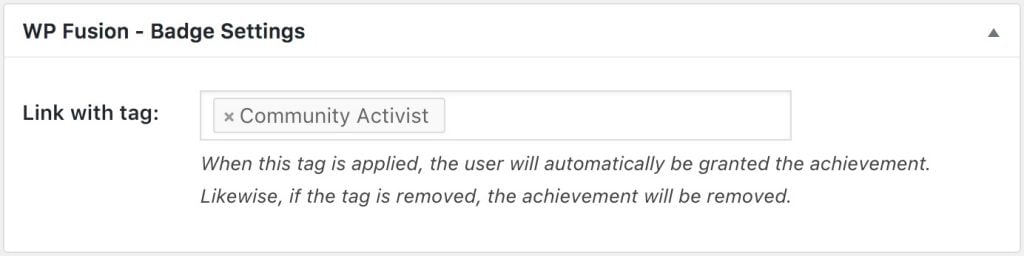
The WP Fusion settings can be found at the bottom of the Edit Badge screen. When a badge is earned, the selected tag will be applied in your CRM.
#Linking Badges
By linking a badge with a tag, you can also automatically grant badges to users based on automations in your CRM. When the selected tag is applied to the contact, the user will be awarded the badge. When the tag is removed, the badge will be removed from the user.
#Ranks
The WP Fusion settings can be found at the bottom of the Edit Rank screen.
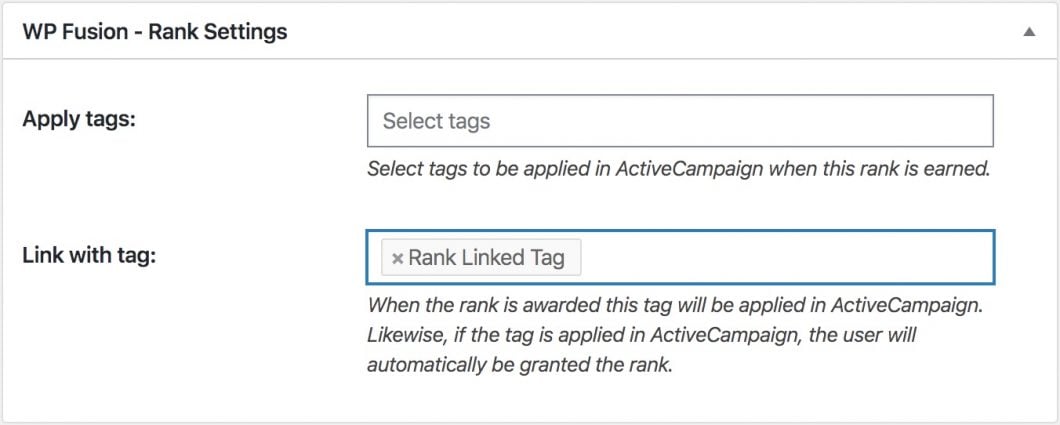
There are two settings:
- Apply tags: Here you can specify any number of tags to be applied in your CRM when the rank is earned
- Link with tag: By linking a rank with a tag, you can automatically grant ranks to users based on automations in your CRM. When the selected tag is applied to the contact, the user will be assigned the linked rank.