WP Fusion provides a tight integration between Gravity Forms and AgileCRM.
Collect form submissions on your WordPress site and automatically create/update contacts in AgileCRM, including support for unlimited custom fields, and applying tags or lists based on form submissions.
No limits, and no delays. All data is sent directly between Gravity Forms and AgileCRM.
Setup
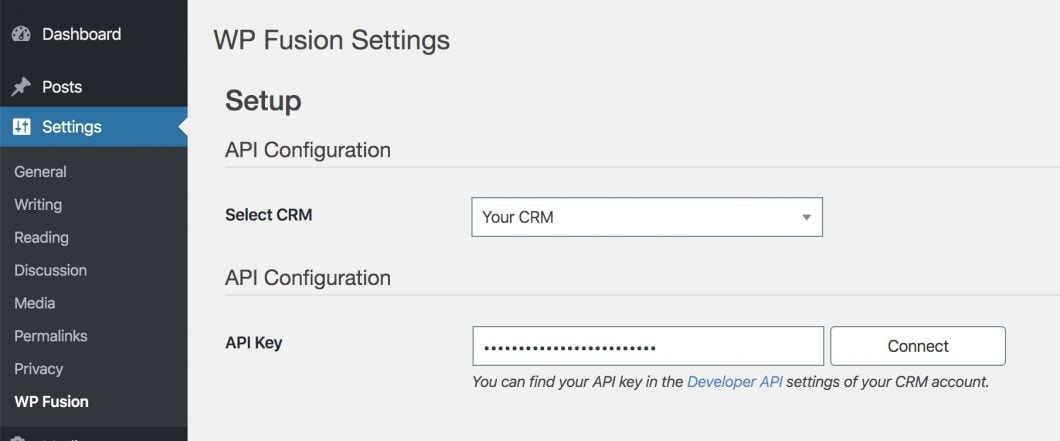
Setup is easy, first install WP Fusion and enter your AgileCRM API credentials on the Setup screen.
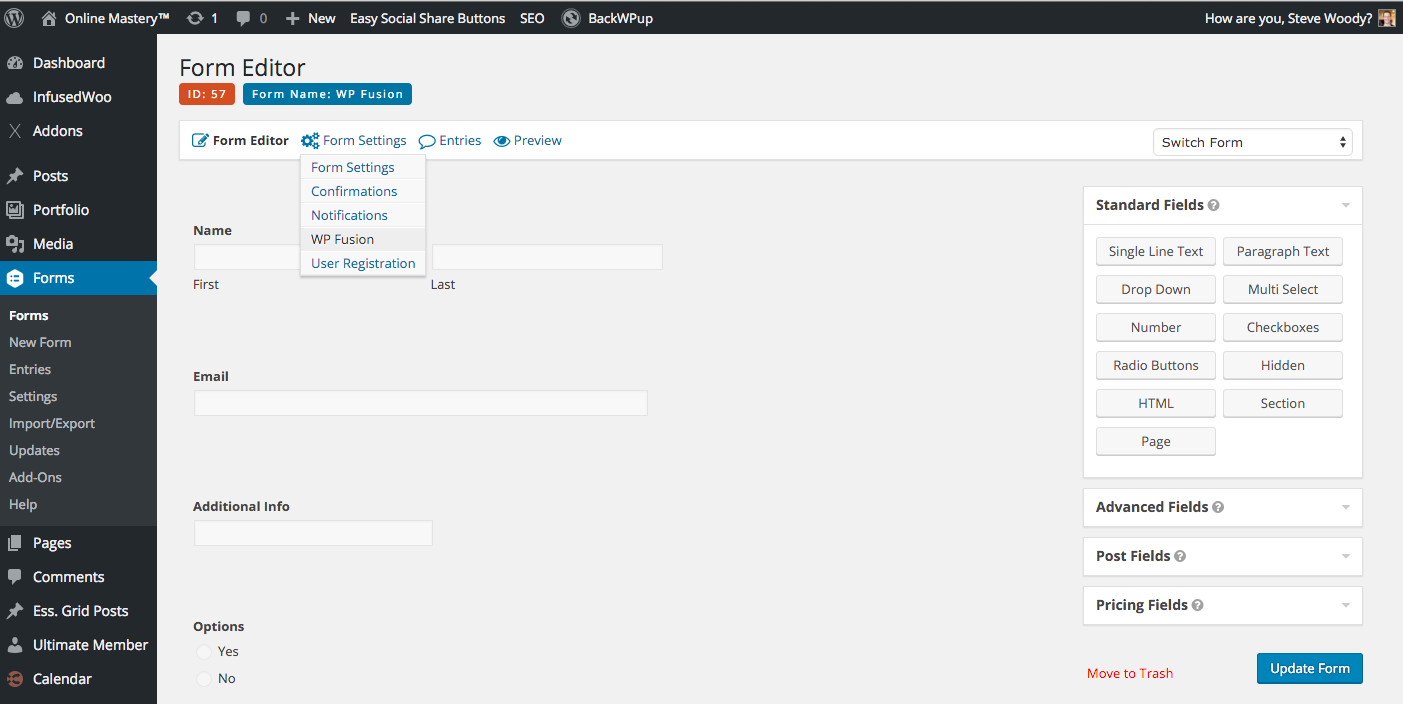
Then head to your form and select the WP Fusion tab to create a feed.
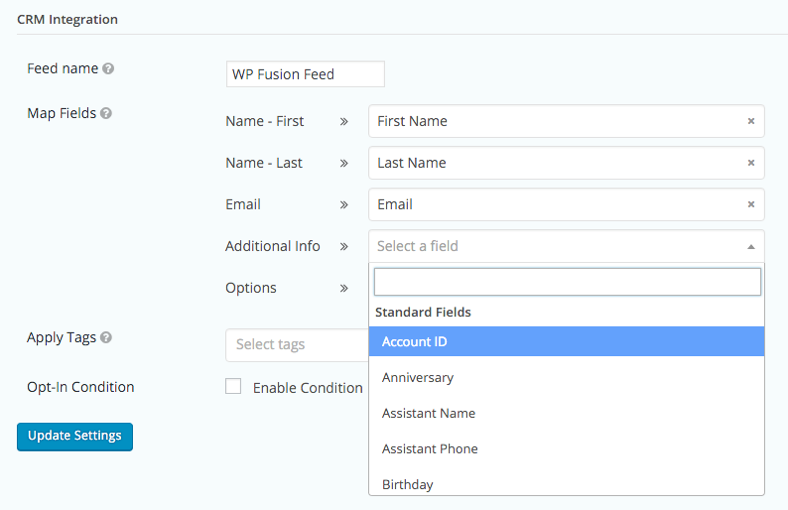
Map your form fields on the left with fields in AgileCRM on the right, and optionally select tags or lists to apply in AgileCRM when the form is submitted.
That’s it! When the form is submitted, a contact record will be created in AgileCRM, and the selected tags will be applied.
Conditional Logic
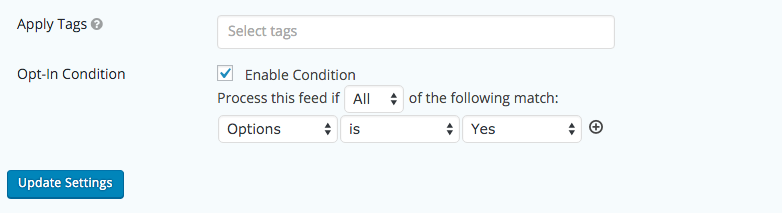
Create highly targeted segments of contacts in AgileCRM using conditional logic.
For each form feed, create multiple conditions, and then apply different tags or lists in AgileCRM based on the submitted values.
Pre-fill forms
Send emails from AgileCRM with magic links that pre-fill your Gravity Forms fields using data from AgileCRM contact records.
When the form is submitted, the data will automatically update the correct contact record in AgileCRM.
It doesn’t stop with Gravity Forms
WP Fusion connects over 100 WordPress plugins bidirectionally with AgileCRM, letting you do more with the tools you already use.
Click below to learn more about integrating Gravity Forms and AgileCRM with WP Fusion.
In this tutorial, we look at ways WP Fusion can be used to offer a mix of free and premium blog content or courses, by restricting access based on tags in your CRM to create a secure and personalized user experience.
WP Fusion integrates over 100 WordPress plugins bidirectionally with AgileCRM.
With integrations like WooCommerce, LearnDash, LifterLMS, MemberPress, Gravity Forms and BuddyBoss, you can start doing more with the tools you already use.