

LifterLMS Require Video Completion with Presto Player
Make sure your students are completing all of their lesson content by creating video completion requirements. Emily shows us how to navigate these successful strategies in this tutorial!




LifterLMS is one of the most popular WordPress plugins to help you create online courses.
LifterLMS helps you create and sell courses and memberships, but it doesn’t include a ton of marketing or segmentation features, which is probably why you’re using Tubular alongside LifterLMS.
With WP Fusion, you can connect LifterLMS bidirectionally with Tubular, to optimize your marketing efforts and more effectively engage with your students.
WP Fusion creates a LifterLMS — Tubular integration in several different ways. You can:
Setting up Tubular with LifterLMS and WordPress is easy. All you do is install WP Fusion and authorize your WordPress site with Tubular:
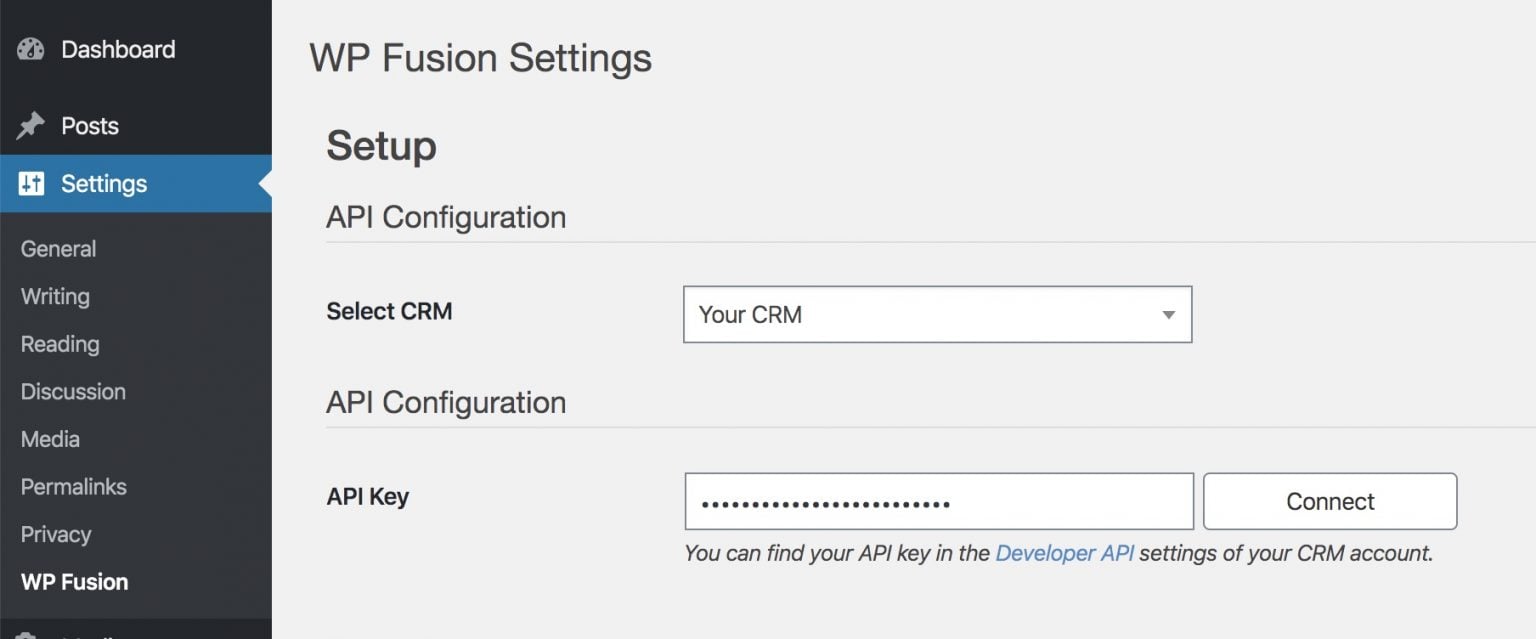
Then, you can start setting up your LifterLMS — Tubular integration.
WP Fusion will automatically add new students to Tubular, and you can also set up a number of other features to help you segment your students.
One of the most powerful features in the Tubular — LifterLMS integration is the ability to tag users in Tubular based on actions they take in your course.
For example, you can apply new tags when a user:
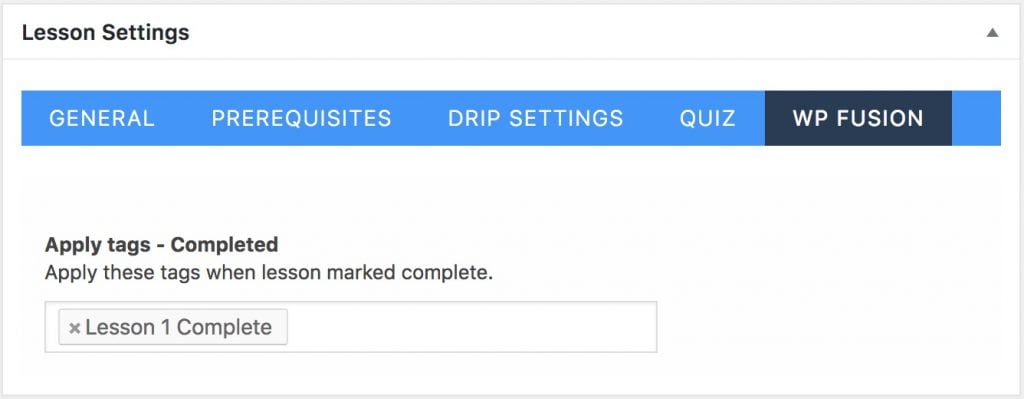
You can also use tags to track a user’s course progress, like the last lesson or course that they’ve completed.
By applying these tags, you can create laser-focused segments and set up marketing automation to create a better experience and sell more courses.
With WP Fusion, you can also restrict access to course content using tags in Tubular.
You can restrict access to courses, lessons, and topics and automatically redirect users without the required tags to another page (like your sales page).
You can automatically enroll a student in a course or LifterLMS membership just by applying a tag to that user in Tubular.
Once you link a course or group with a tag from Tubular, users will automatically be added to that course/group when the tag is applied:
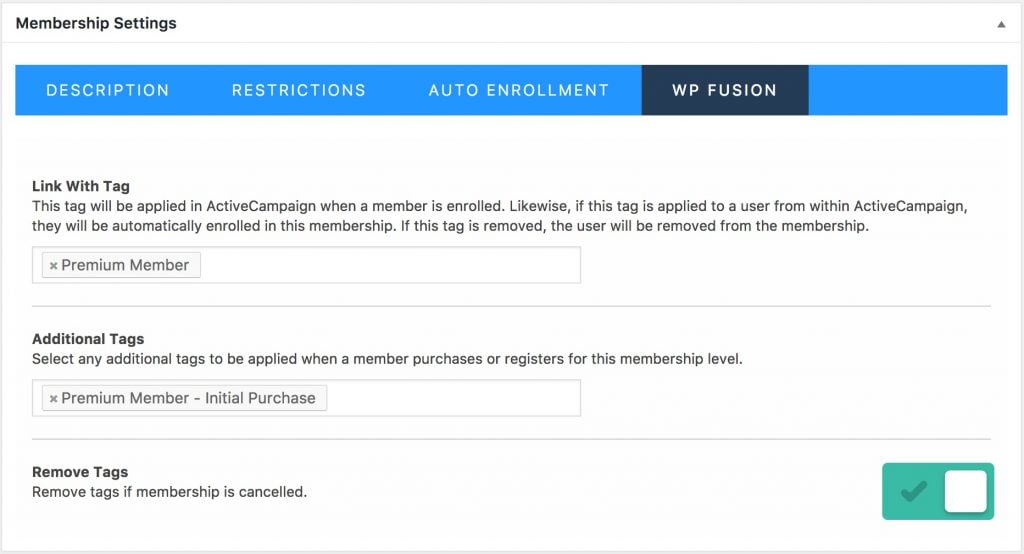
If you remove that tag in Tubular, users will automatically be un-enrolled.
With WP Fusion, you can optimize both your course and marketing efforts by connecting LifterLMS to Tubular.
Click below to learn more about why WP Fusion is the ideal solution to connect Tubular to LifterLMS.
Make sure your students are completing all of their lesson content by creating video completion requirements. Emily shows us how to navigate these successful strategies in this tutorial!