WooCommerce is the #1 ecommerce platform for WordPress for a reason. It’s hands-down the most extensible ecommerce system available with recurring payments, variable product pricing, easy-to-use shopping carts and checkout pages, and follow-up data for customers to keep track their orders.
With its secure credit card payment gateways and huge range of addons, WooCommerce has just about everything you need to automate your online business – and integrating it with a CRM like Omnisend takes it to the next level.
So you have your WooCommerce store running on your WordPress site, and your mailing list in Omnisend. But your options for connecting the two are limited.
This is where WP Fusion comes in. With WP Fusion all of your WooCommerce customer data is synced into Omnisend in real time, and you can segment them based on products purchased, lead sources, coupons used, and hundreds of other variables!
Having this data in Omnisend lets you set up highly targeted marketing automation workflows to contact your customers. You can follow up with customers about a recent order, alert them to new products in a favorite category, reward them on their birthdays, offer unique discounts, and more.
Setup
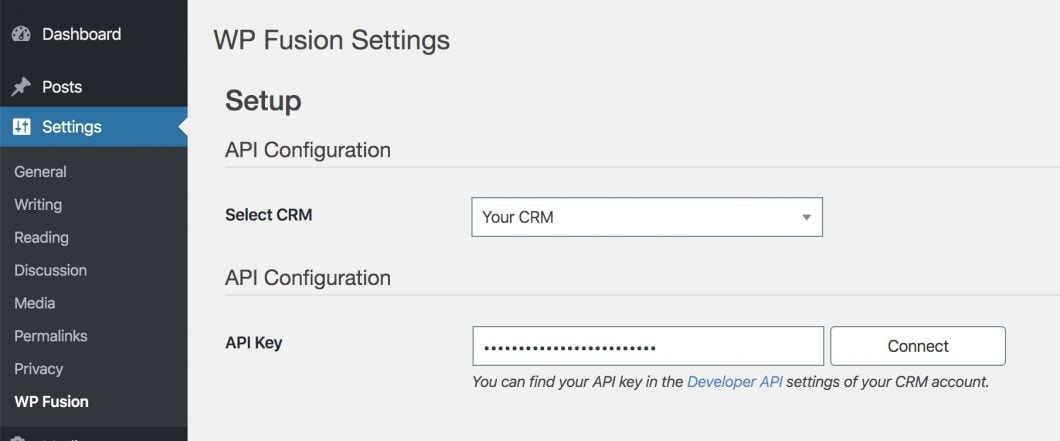
Setup is quick and easy. Just install WP Fusion and enter your API details for Omnisend:
And click Connect.
That’s it! Your WooCommerce customers will automatically start syncing to Omnisend at checkout.
Tagging
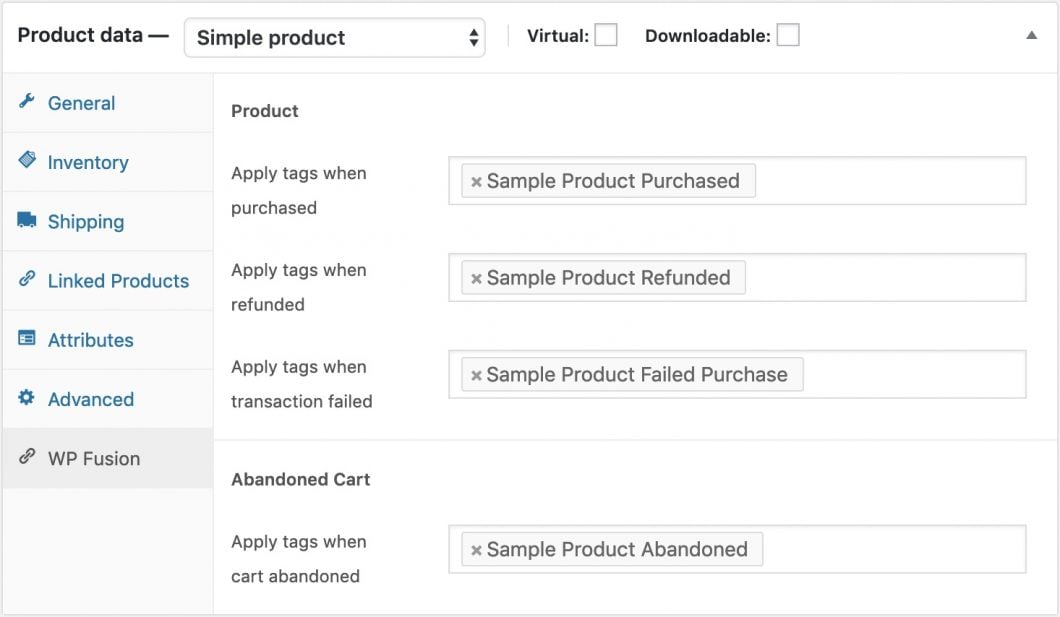
If you want to segment your customers, you can tag them in Omnisend based on products they purchase in WooCommerce. You can easily set this up while editing any product.
WP Fusion has hundreds of options for tagging and segmenting customers in Omnisend in addition to product purchases, such as:
Variation purchases
Coupons used
Order status
Subscription status
Abandoned cart
and more!
Exporting Data
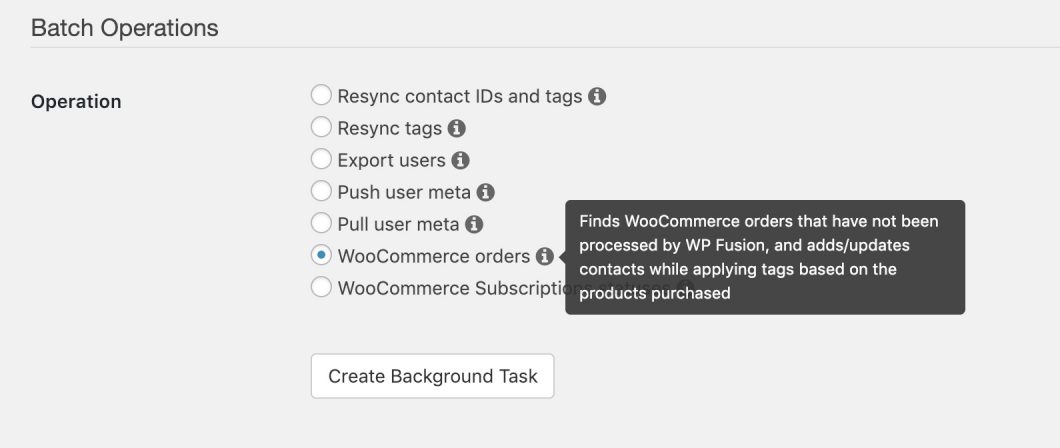
Need to export historical data to Omnisend? No problem, WP Fusion has you covered there as well:
All of your customers and orders will be exported to Omnisend instantly.
WooCommerce gives you all the tools you need to run a small business. The options with connecting WooCommerce to Omnisend with WP Fusion are basically limitless. Click below to learn more. WP Fusion is ideal for Omnisend!
WP Fusion integrates over 100 WordPress plugins bidirectionally with Omnisend.
With integrations like WooCommerce, LearnDash, LifterLMS, MemberPress, Gravity Forms and BuddyBoss, you can start doing more with the tools you already use.