
bbPress

#Overview

Using WP Fusion and bbPress, you can restrict access to forums based on users’ tags in your CRM. If the user does not have access you can either display a restricted content message, or redirect the user to another page on your site.

#Forums access control

When editing any individual forum, you can set access rules for that forum based on a logged-in user’s tags in your CRM.
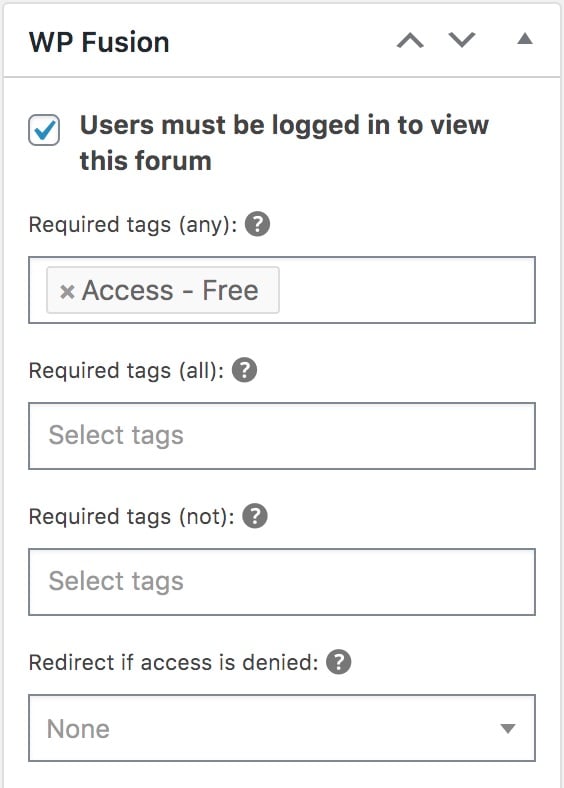
Screenshot of WP Fusion settings panel showing Users must be logged in to view this forum checkbox selected, highlighting its CRM integration features. Options include requiring access tags, selecting required and not-required tags, and redirecting if access is denied.

For more information on the meta box, see the documentation on restricting access to content.

Note: WPF adds a class to the form, “wpf-locked”. You can use this to style the form via CSS so that you can indicate which forums are locked.

#Hiding restricted forums

If you’d like to hide restricted forums from the forums archive, you can turn on Query Filtering for the forums post type.

At Settings » WP Fusion » General » Content Restriction, set Filter Queries to Standard, and from the Post Types dropdown, select forum.
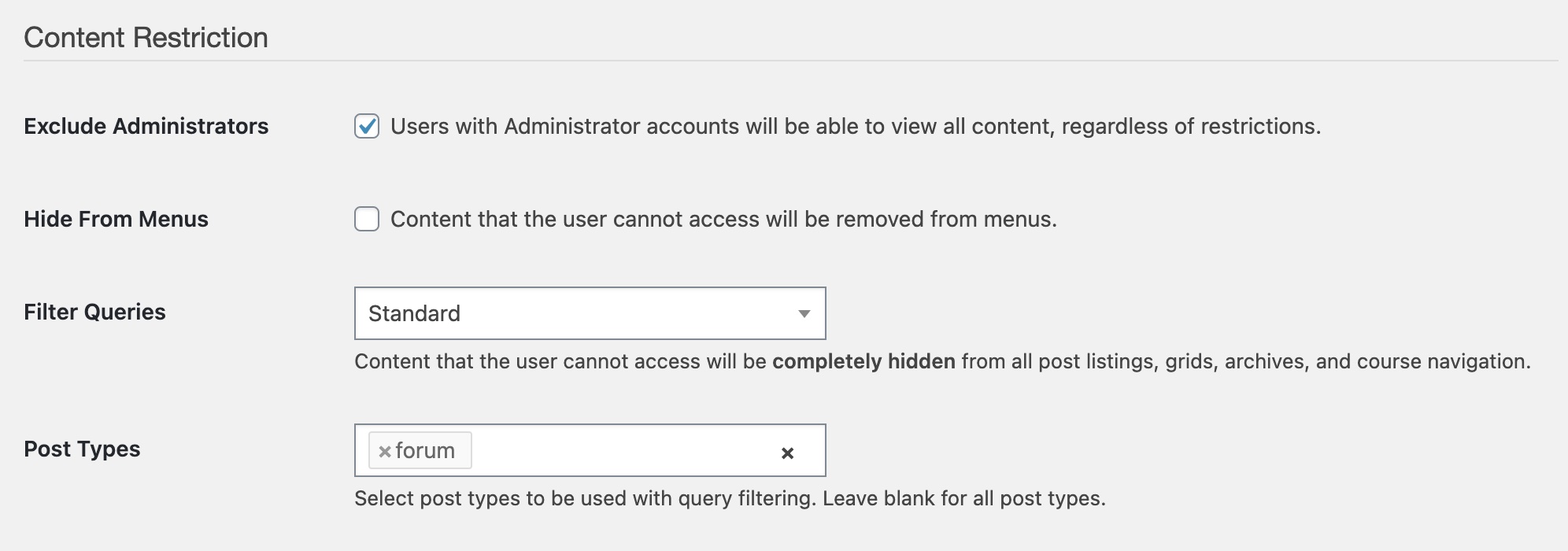
Settings page for content restriction offers options like excluding administrators, hiding content from menus, filtering queries, and selecting post types. With WP Fusion CRM integration, easily manage restrictions. Post types filter is set to forum.

Now any forums that the user doesn’t have access to will be completely hidden from the forums archive, regardless of the visibility setting of the forum.

#Forums activity tracking

At the bottom of the WP Fusion meta box when editing any forum or topic, you will see settings for applying tags when the forum or topic is viewed, as well as when a new topic or reply is posted.

A settings interface with options to apply or remove tags when viewing a forum, now enhanced with WP Fusion CRM integration. It includes dropdown menus to select tags, a delay time input, and a text box labeled Posted in Forum One.
When editing any forum, WP Fusion allows you to select tags to apply when that forum is viewed, as well as when a new topic is posted.
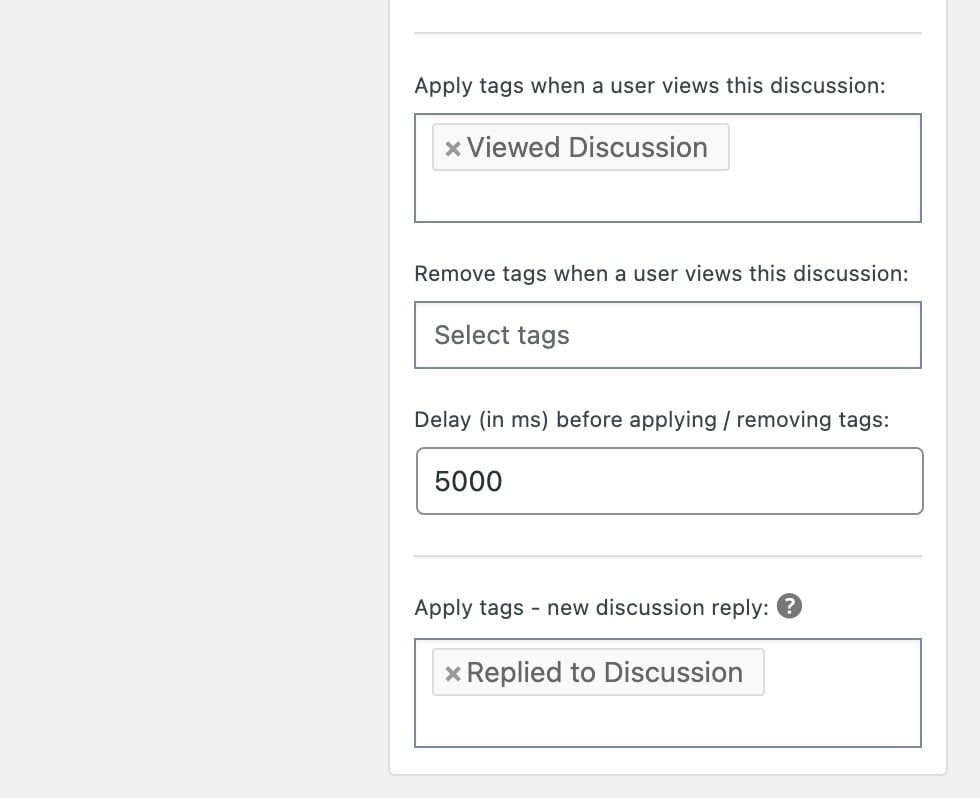
Screenshot of a web interface illustrating settings for WP Fusion CRM integration in a discussion. It features sections for applying tags like Viewed Discussion and Replied to Discussion, complete with an input for setting delay times, here configured at 5000 milliseconds.
When editing any topic (or Discussion with BuddyBoss), WP Fusion allows you to select tags to apply when that topic is viewed, as well as when a new reply is posted.

#Global settings

WP Fusion also has some global settings for bbPress, found at Settings » WP Fusion » Integrations » bbPress.
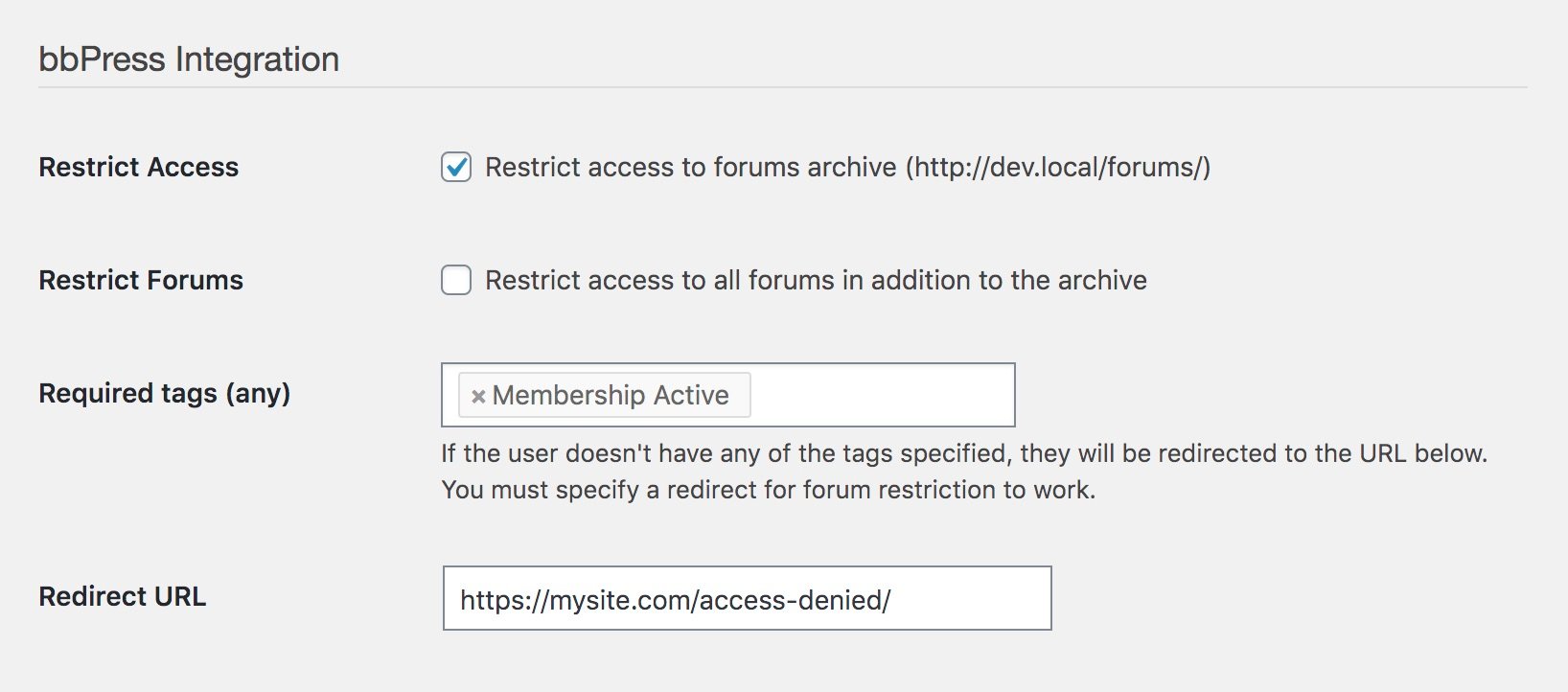
Screenshot of bbPress Integration settings showcases options like checkboxes and tag settings for restricting forum access. With WP Fusion CRM integration, manage access efficiently. The redirect URL field is filled with https://mysite.com/access-denied/.

Here you can optionally restrict access to your forums archive page, or all forums on your site, using a CRM tag.

Note that you must specify a redirect URL for forum archive protection to work.

#Event Tracking

Using the Event Tracking addon, you can track bbPress (and BuddyPress / BuddyBoss) forum activity as events in supported CRMs. This lets you view user forum activity in real time in your CRM’s activity feed.

Events can be configured in the global Event Tracking settings page, at Settings » Event Tracking.
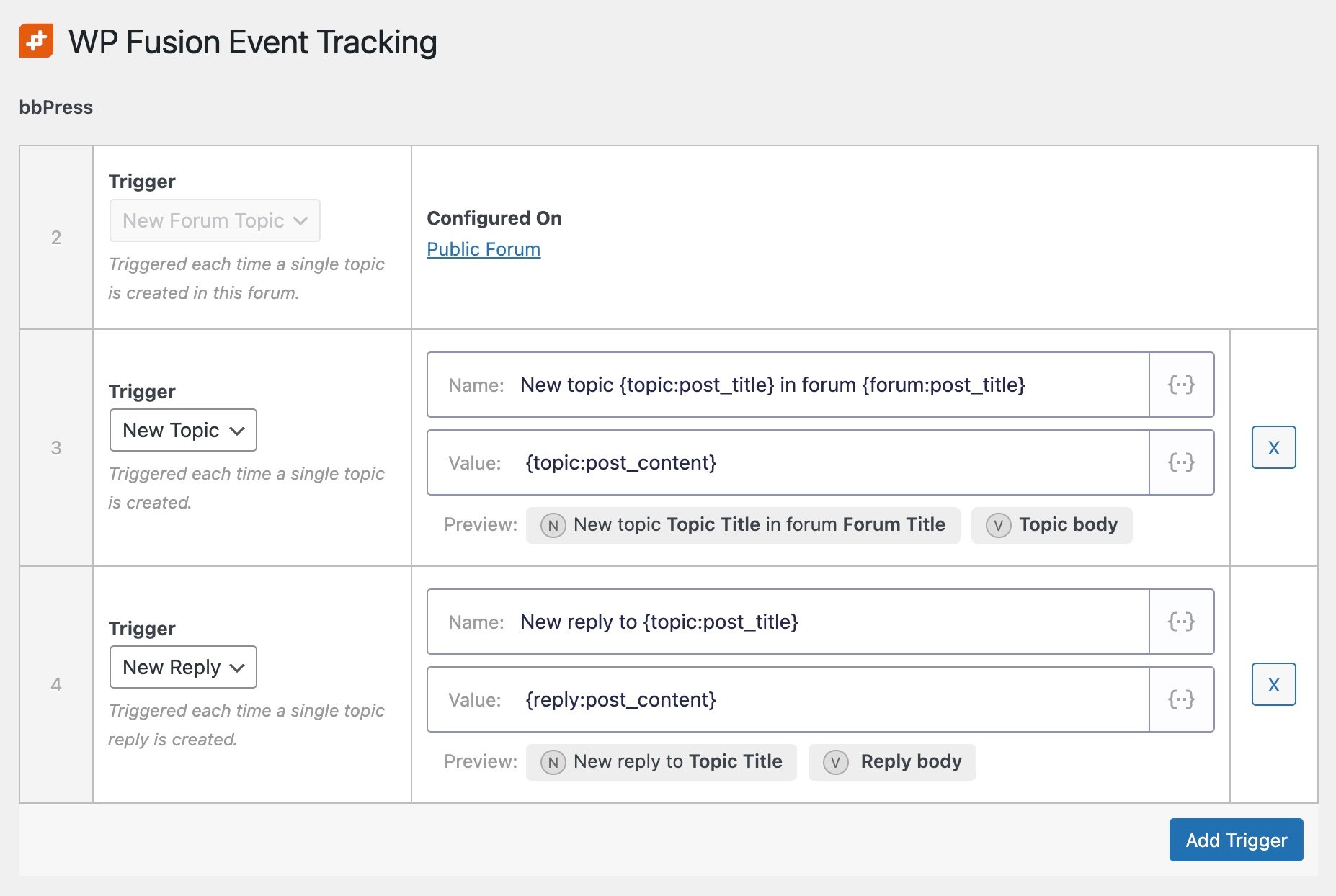
Screenshot of WP Fusion CRM integration Event Tracking settings in bbPress. It displays configurations for triggering events on new forum topics and replies, with options to include the topic title, forum title, post content, reply content, and buttons to add triggers.

The available triggers are:

  • New Topic: Triggered each time a single topic is created in any forum.
  • New Reply: Triggered each time someone replies to a topic in any forum.

You can also configure event tracking on individual forums.

In this case the event tracking on the forum will take priority over any globally configured event tracking.
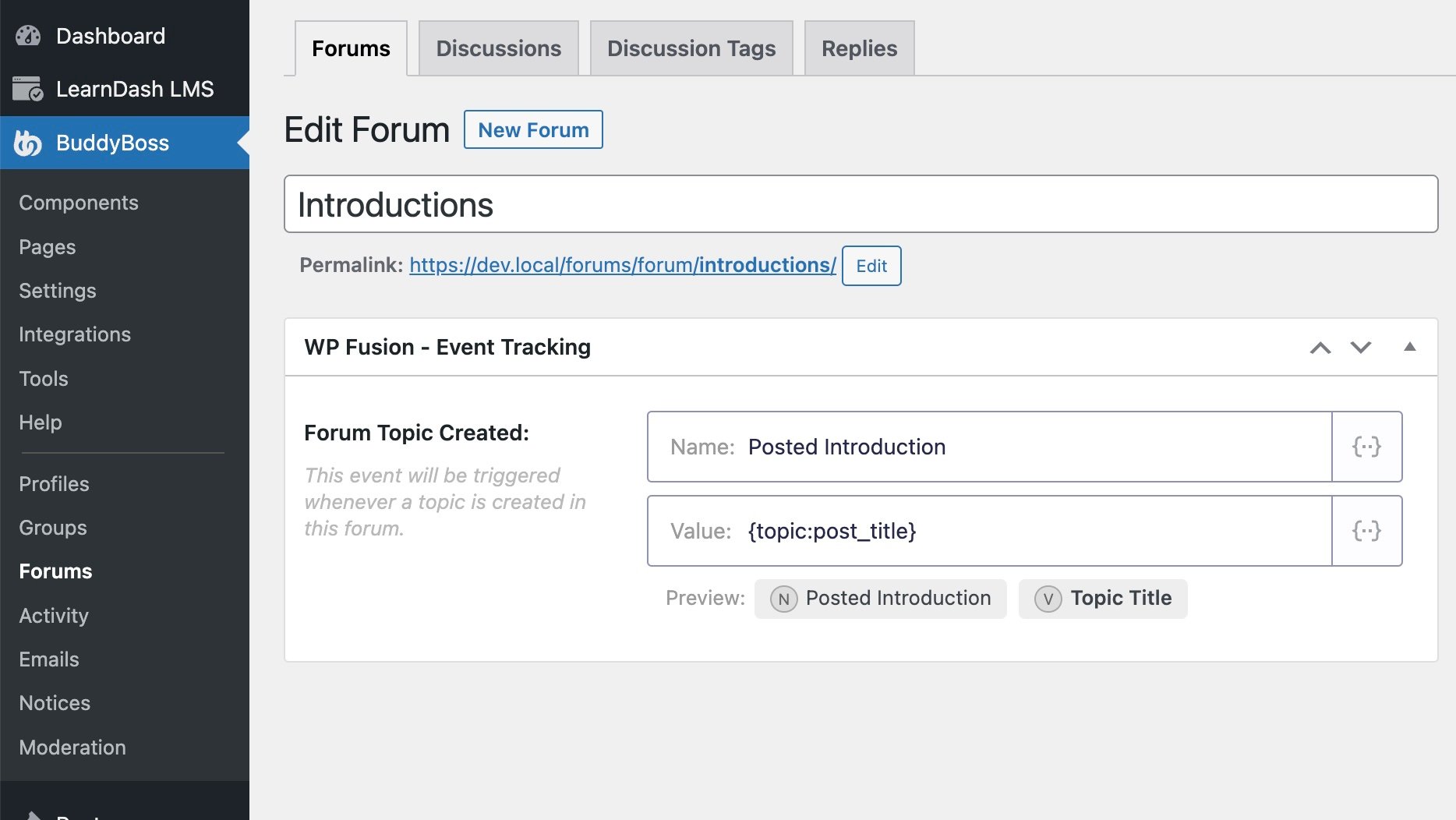
Screenshot of a forum editing page on BuddyBoss, highlighting the Forum, Discussions, Discussion Tags, and Replies tabs. The Introductions forum is being edited with WP Fusion CRM integration event tracking settings conveniently displayed on the right.
In this example we’ve registered a custom event specifically for when someone creates a new post in the Introductions forum

#How it looks

As people post topics and replies, any configured events will be synced to each user’s contact record in your CRM, in real time.
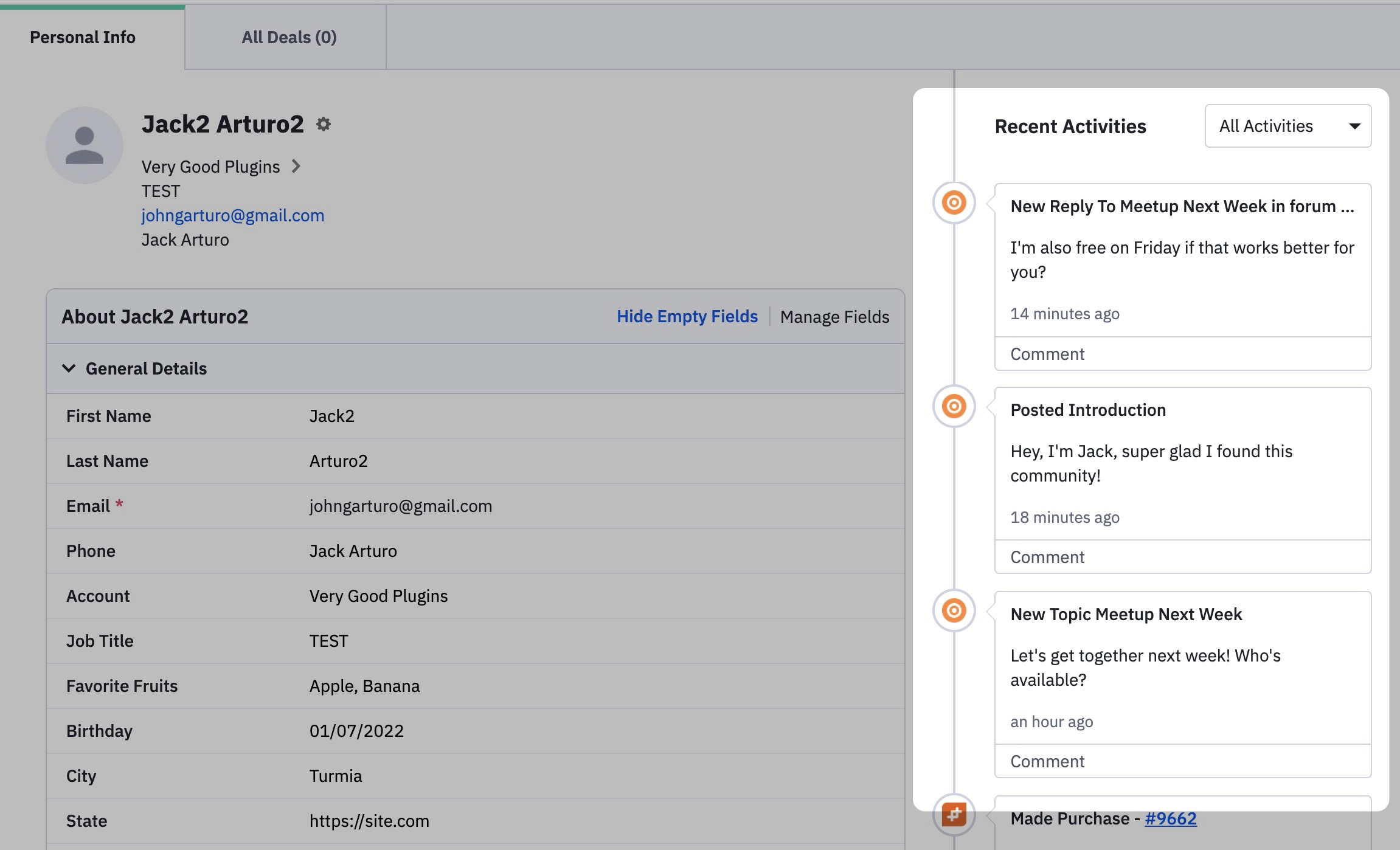
Screenshot of a user profile interface seamlessly enriched by WP Fusion CRM integration, displaying personal information and recent activities. The profile includes name and contact details on the left, with recent activities like forum posts and a purchase on the right, offering an interconnected experience.
WP Fusion’s Event Tracking addon sends events from bbPress to contact records in ActiveCampaign and other CRMs in real time.

You can use events to get a better sense of each member’s engagement with your community, to trigger automations, or as conditions (i.e. “only run this automation if contact has triggered at least one New Topic event).

Was this helpful?