
#Overview
WP Fusion integrates with Advanced Ads to allow you to control the display of ads on your site based on a logged-in user’s tags.
#Setup
When editing any ad, scroll down to the Visitor Conditions meta box. To add a new WP Fusion condition, select WP Fusion from the Choose a Condition dropdown.
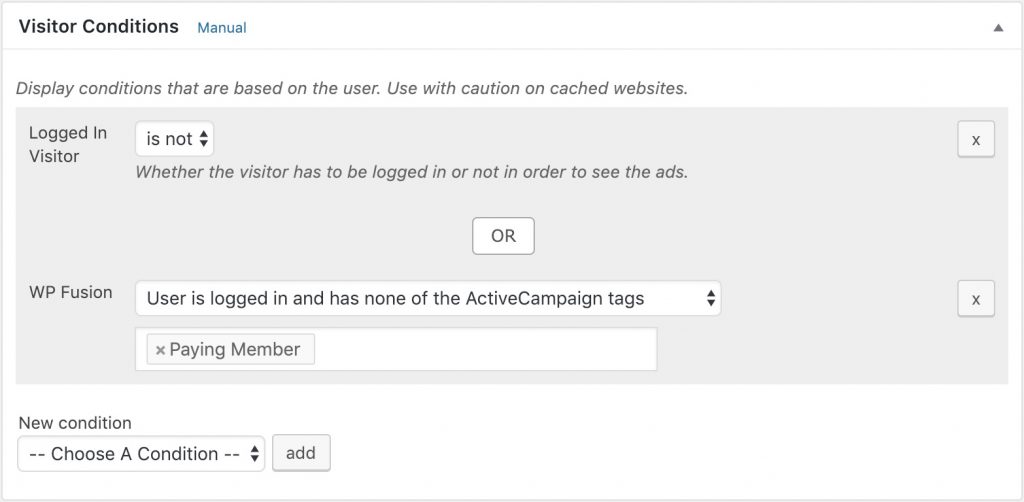
There are two options:
- User is logged in and has at least one of the tags: The content will only be shown to logged in users who have at least one of the tags specified in the tags select box.
- User is logged in and has none of the tags: The content will only be shown to logged in users who do not have any of the tags specified in the tags select box.
Was this helpful?
Let us know if you liked the post. That’s the only way we can improve.