
Some recipes and ideas for using WP Fusion with a BuddyBoss (or BuddyPress) site, with WooCommerce, and ActiveCampaign.
Keep in mind, with WP Fusion it’s easy to mix and match components:
- Instead of WooCommerce, these recipes would work equally well with Easy Digital Downloads, GiveWP, WP Simple Pay, and many other supported ecommerce plugins.
- Instead of ActiveCampaign, this would work with any of our other supported marketing automation platforms.
#Create a free membership sign up form
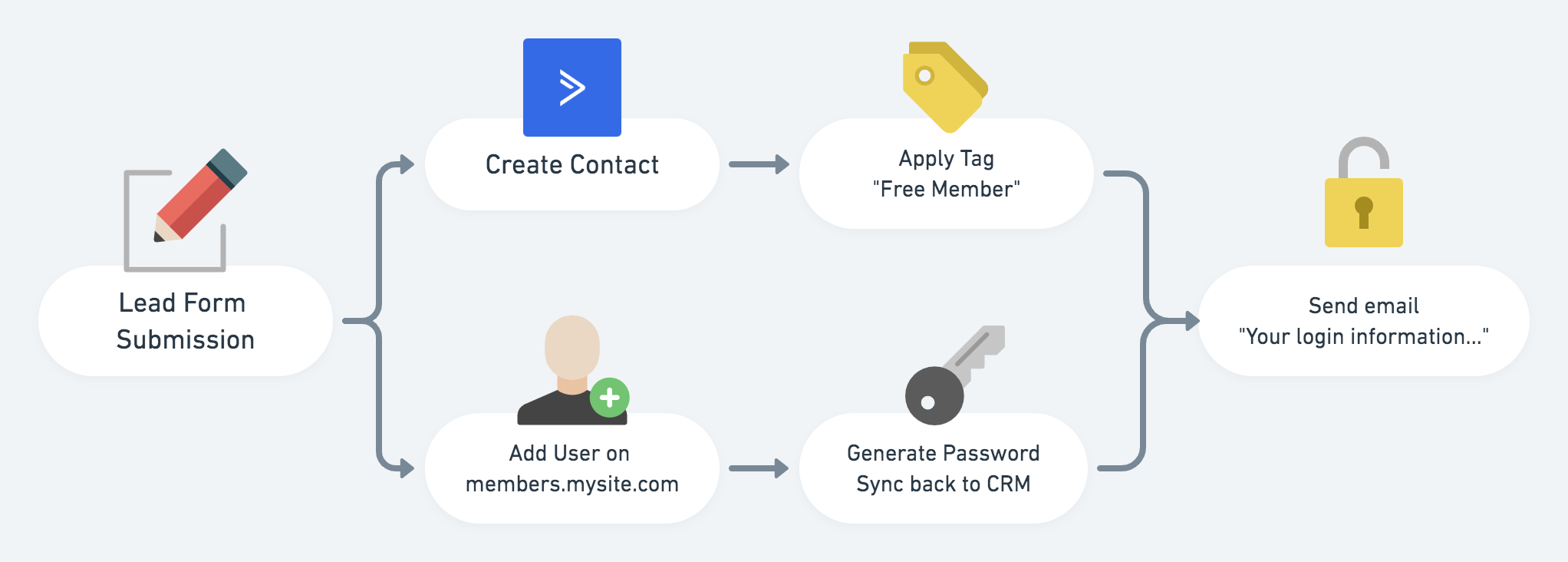
Using any of our supported form plugins (or an embedded ActiveCampaign form), create a signup form for your free membership.
When the form is submitted, WP Fusion creates a new WordPress user and their login details are sent from ActiveCampaign.
#Enroll the free member in a BuddyBoss profile type, and unlock a forum
Give the free member a taste of your community by using the Free Member tag to auto-assign a profile type, and unlock a discussion form, then send a welcome email from ActiveCampaign.

#Encourage profile completion
The Free Member profile type has a few custom fields to collect more information about the member. Encourage the member to complete their profile with a reminder email.
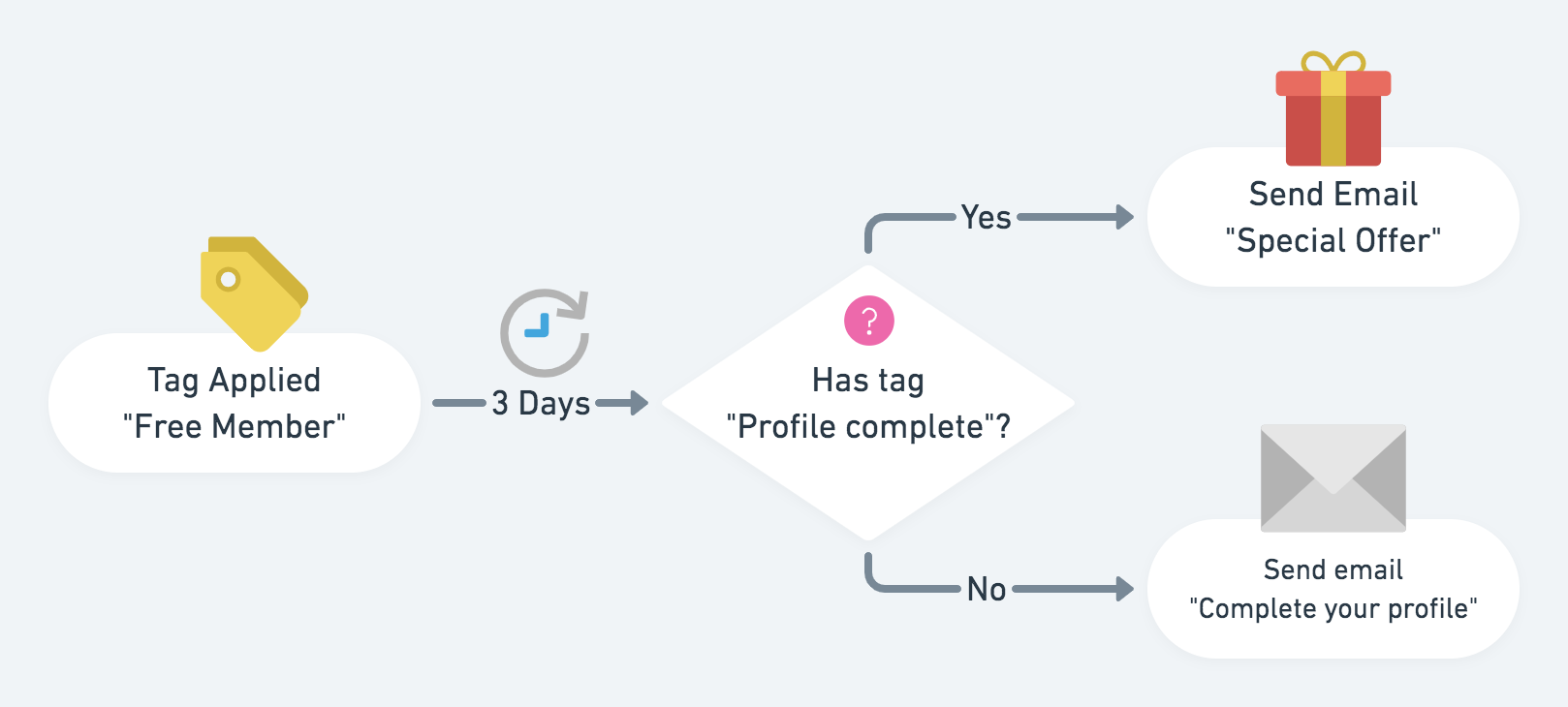
Use WP Fusion’s profile completeness tagging to track whether or not a member has completed their BuddyBoss profile.
#Unlock a special offer for free members
Use WP Fusion’s auto-applied coupons with WooCommerce to unlock a special offer to upgrade to a paid membership.
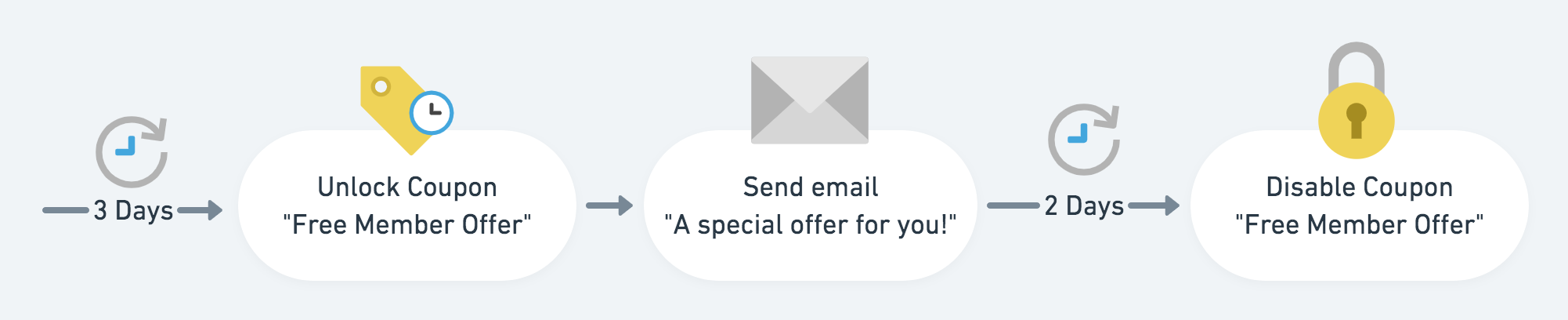
You can make the discount time limited by using an automation that removes the linked coupon tag after a delay.
#Automatically expire the free membership
Because the free membership was granted using tags in ActiveCampaign, it’s easy to create an automation that removes those tags after a period of time.

#Reach out to inactive members
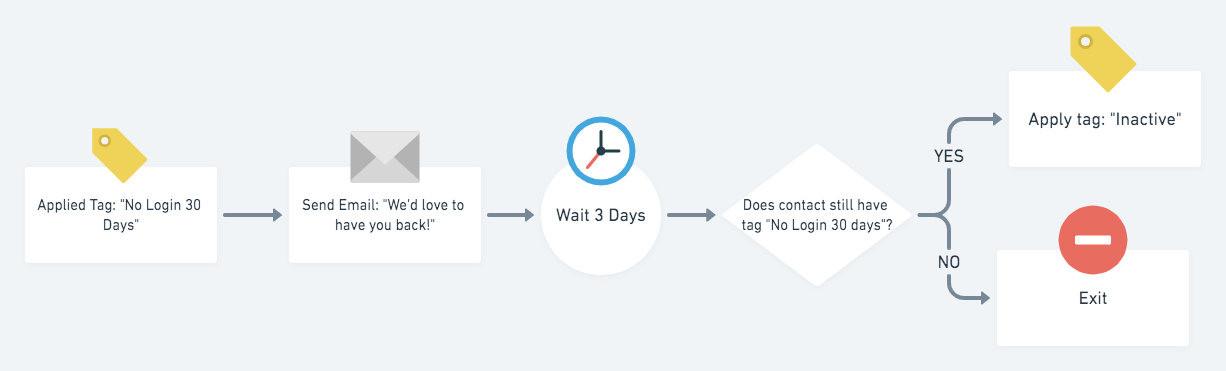
If you have content that’s being updated over time, you might want to encourage people to come back to your site if they haven’t logged in for a while. WP Fusion’s Logins Addon allows you to apply a tag in your CRM when someone hasn’t logged in to your site for a certain period of time.
#Other ideas
Some other ideas that might be possible depending on the other plugins you have installed and the capabilities of your marketing automation tool.
#Update a Facebook custom audience
ActiveCampaign, Brevo, Ontraport, Drip, and other marketing automation tools support updating Facebook custom audiences within automations.
Automatically add your leads and free members to a custom audience, and remove them if they convert to paying members.
#Start an SMS campaign
Research shows that SMS open rates are as high as 98%, compared to just 20% of all emails. Collect your members’ phone numbers via their BuddyBoss profiles, and sync the data into your CRM with WP Fusion.
Then use campaigns and automations to send SMS messages to your members— remind them of upcoming events, announce new content, or wish them a happy birthday.