
#Overview
WP Fusion integrates with SureDash to connect your community portal with your CRM. When users register via SureDash, they’ll be added to your CRM with all their registration data.
You can also restrict access to SureDash spaces, courses, and lessons based on tags in your CRM, and apply tags when courses or lessons are marked complete.
#Access Control
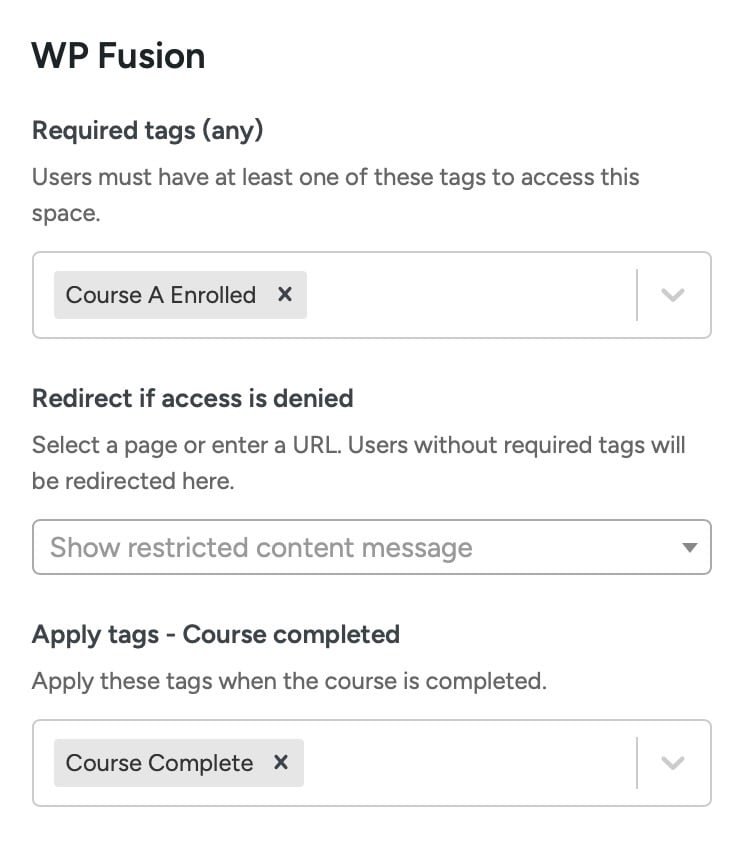
You can restrict access to SureDash spaces, courses, and lessons based on a user’s CRM tags, and redirect them to another page (like a sales page) if they don’t have the required tags.

For more information on restricting access to content and the main WP Fusion meta box, see the documentation here.
#Activity Tagging
WP Fusion can apply tags in your CRM based on course and lesson completions.
#Courses
When editing any SureDash course, you’ll find a WP Fusion settings panel with an option for Apply Tags – Marked Complete. These tags will be applied in your CRM when a user completes the course.
#Lessons
When editing any SureDash lesson, you can also configure tags to be applied when the lesson is marked complete.
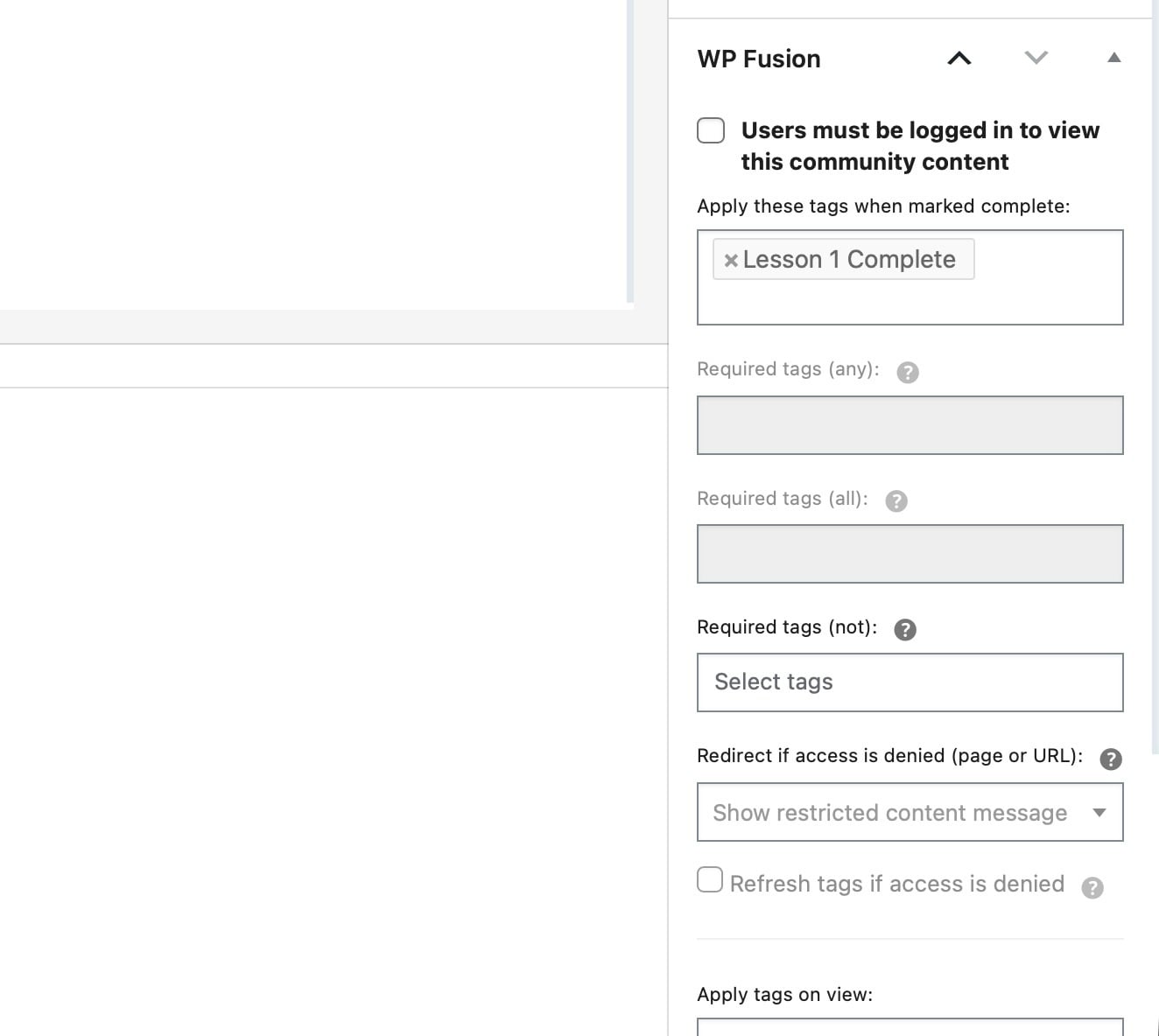
You can use these completion tags to track student progress in your CRM, trigger follow-up automations, or segment students based on what they’ve learned.