#Overview
WP Fusion already connects your ecommerce platform to your CRM, allowing you to create contacts and apply tags when products are purchased, but only contact data is transferred, not the transaction details for each purchase.
Our Ecommerce Addon, available to Plus and Professional license holders, builds on this functionality by letting you create separate order records in your CRM’s ecommerce platform, including products purchased, coupons and discounts used, shipping, and taxes.
#How it Works
Using this addon you can keep track of ecommerce data in your CRM alongside each contact record, allowing for greater flexibility in creating campaigns and automations, as well as using your CRM’s reporting tools to monitor your sales performance.
When a customer checks out, WP Fusion will create an order record and send it to your CRM. If your CRM supports products WP Fusion will also create new product records and add them to the order.
#Pipelines
With CRMs that support sales pipelines, WP Fusion can automatically move deals through pipelines based on order status changes in WooCommerce.
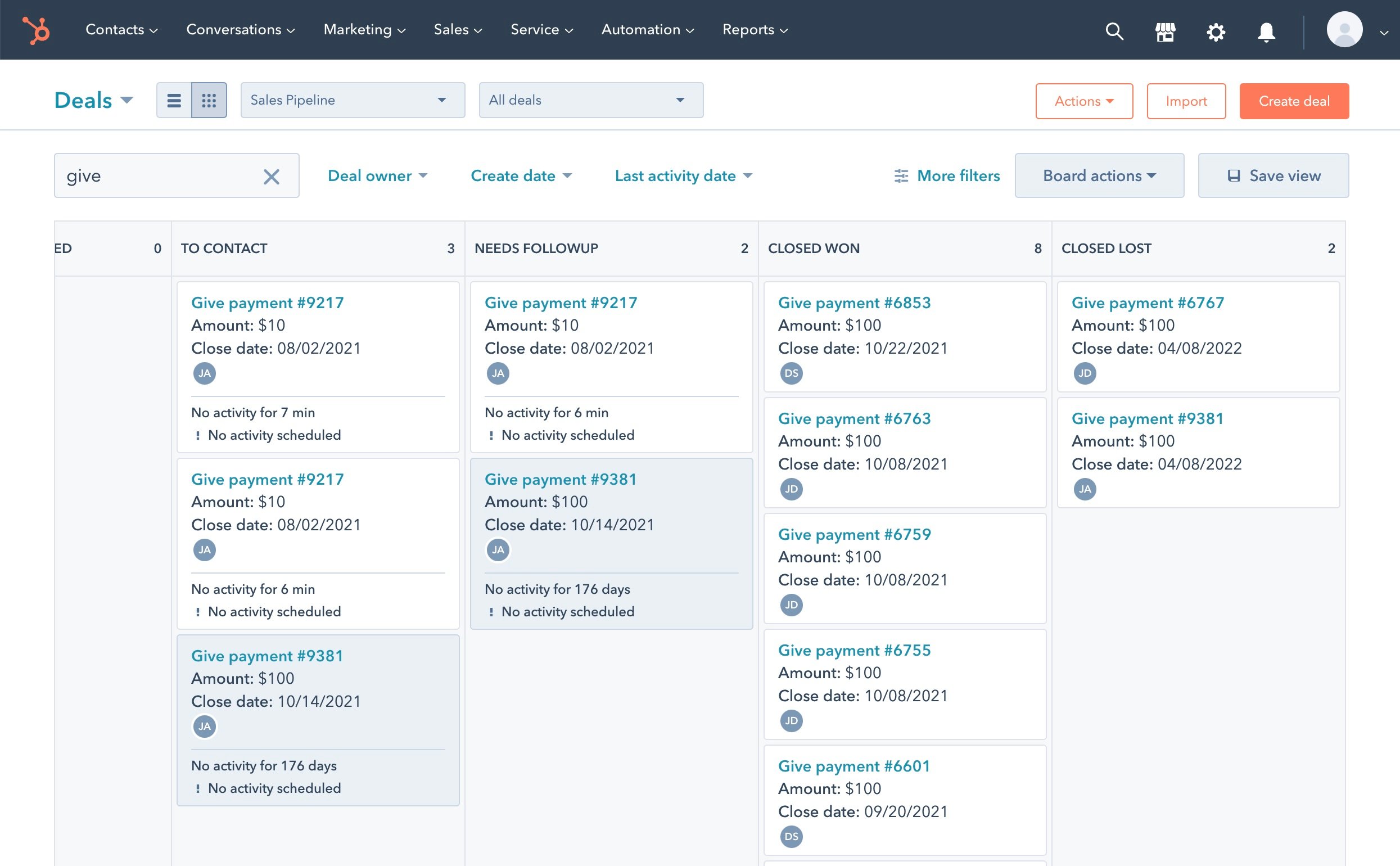
The CRMs that support sales pipelines are:
#Products
With CRMs that support products, WP Fusion can automatically create product records in the CRM based on products in your ecommerce plugin, and associate products and line items with orders.
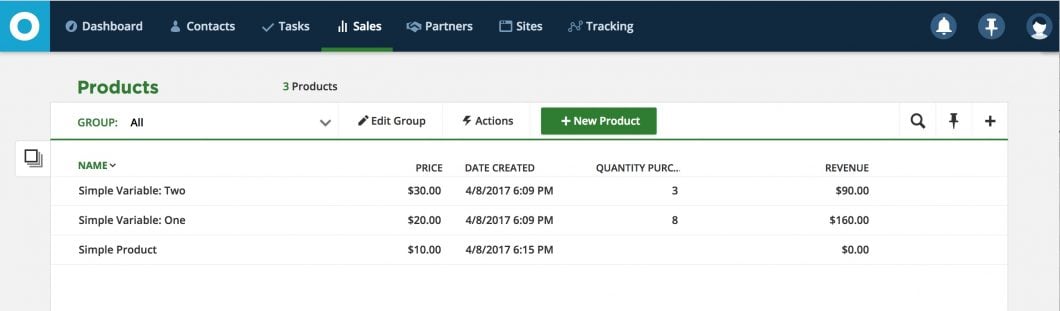
The CRMs that support products are:
#Supported Plugins
#WooCommerce
The Ecommerce Addon will send enhanced ecommerce data for all orders, including support for products, variations, quantities, discounts, shipping, and taxes.
In CRMs that have Products as separate entities from Orders, you can associate your WooCommerce products with CRM products by selecting them from the product dropdowns.
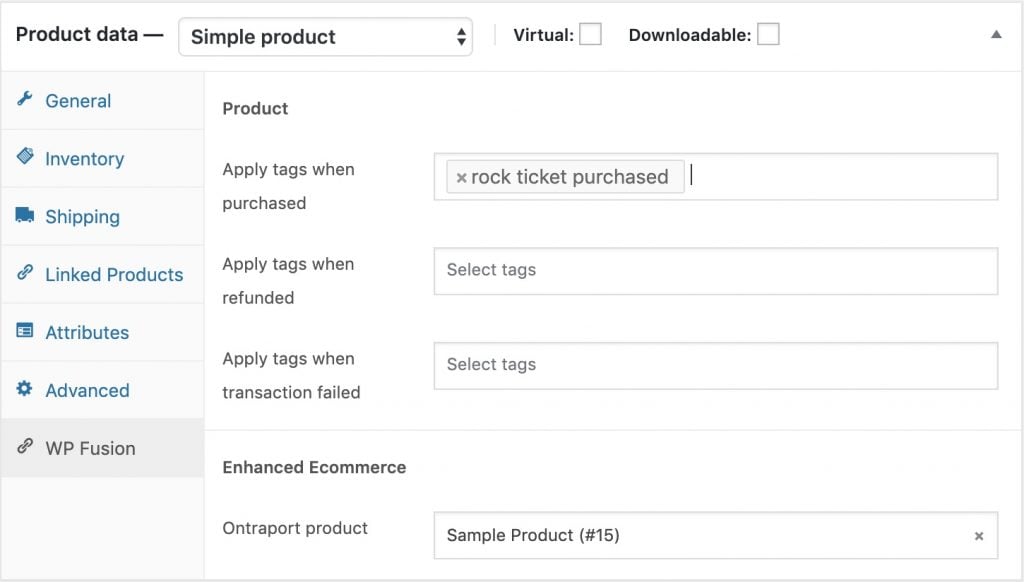
Variable products can be associated within the individual variations.
#Easy Digital Downloads
The Ecommerce Addon will send enhanced ecommerce data for all orders, including support for downloads, download price IDs, discounts, and taxes.
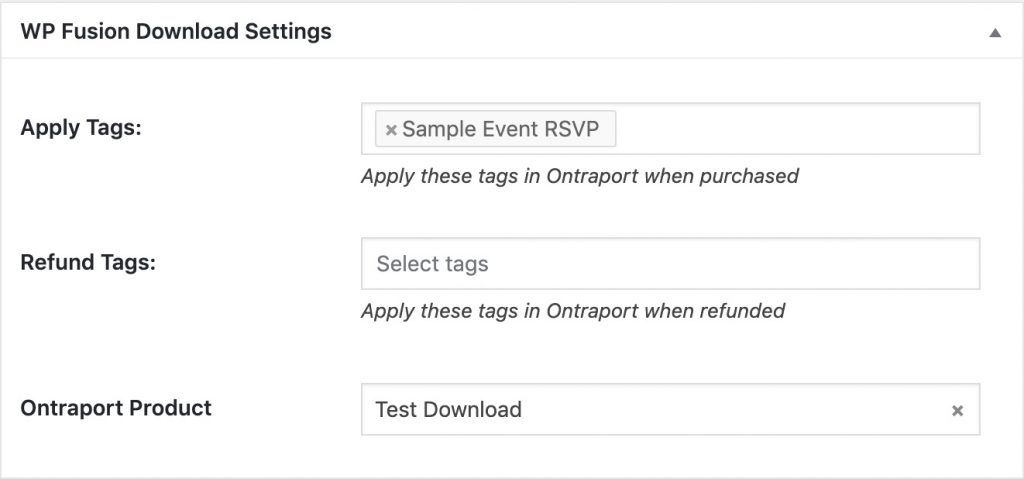
In CRMs that have Products as separate entities from Orders, you can associate your EDD products with CRM products by selecting them from the product dropdown.
#LifterLMS
The Ecommerce Addon will send enhanced ecommerce data for all purchases of access plans, including support for discounts.
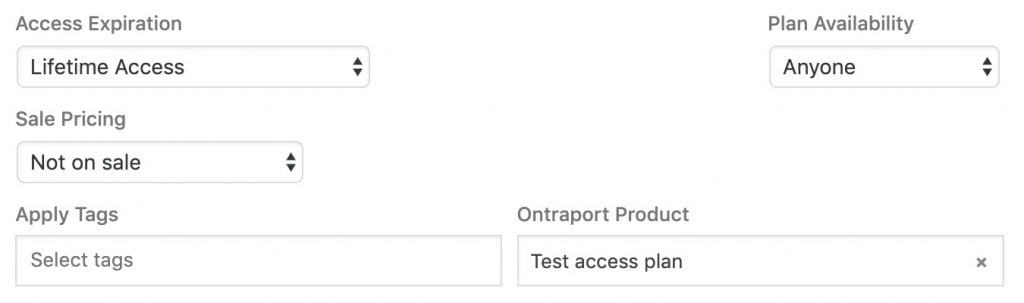
In CRMs that have Products as separate entities from Orders, you can associate your LifterLMS access plans with CRM products by selecting them from the product dropdown while editing the access plan.
#Gravity Forms
The Ecommerce Addon can send enhanced ecommerce data to your CRM for any Gravity Forms payment form that already has a WP Fusion feed configured on it. The available options depend on your connected CRM. For more information, see the Gravity Forms documentation.
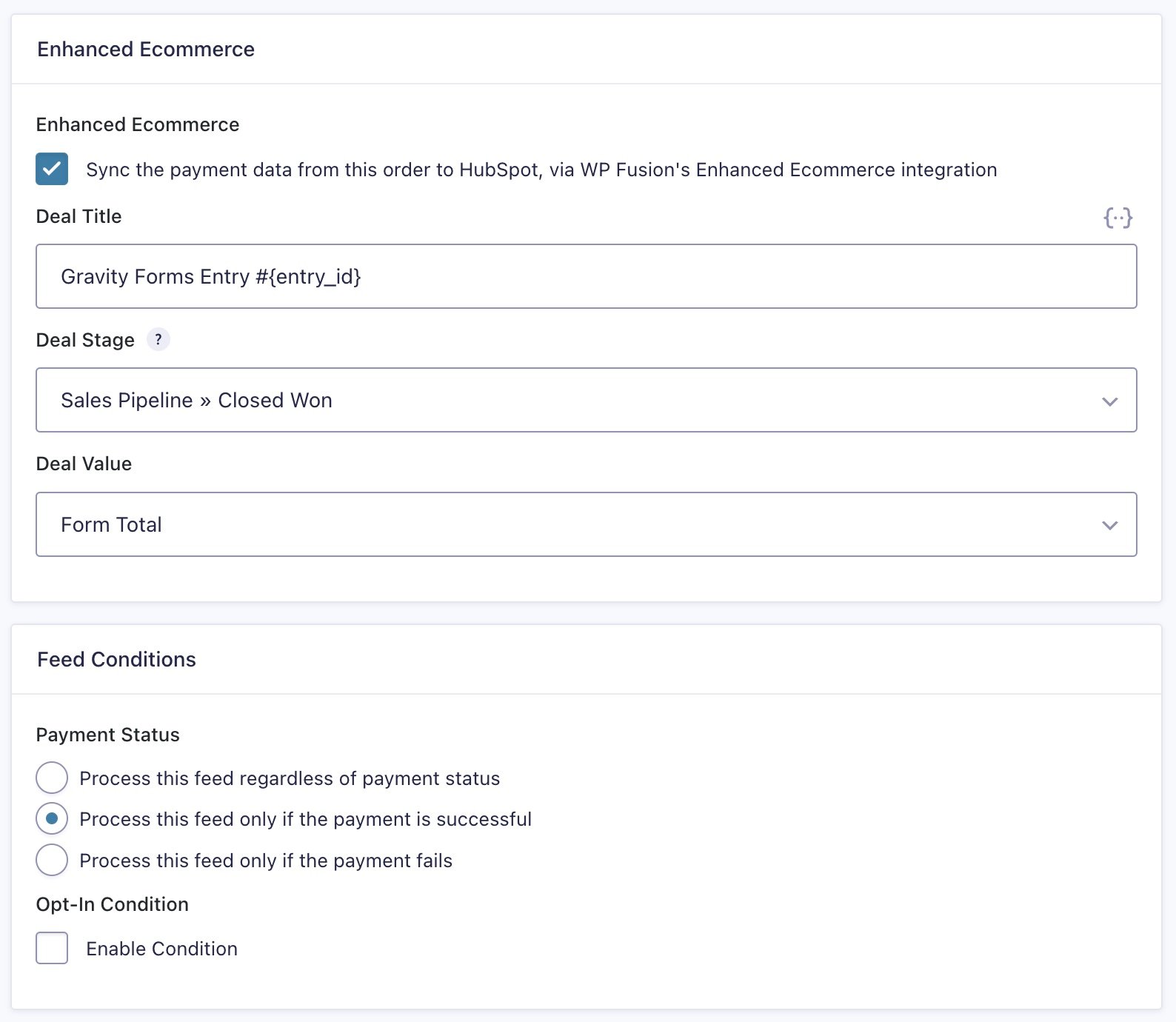
The integration supports products, shipping, discounts, and product options (i.e. addons).
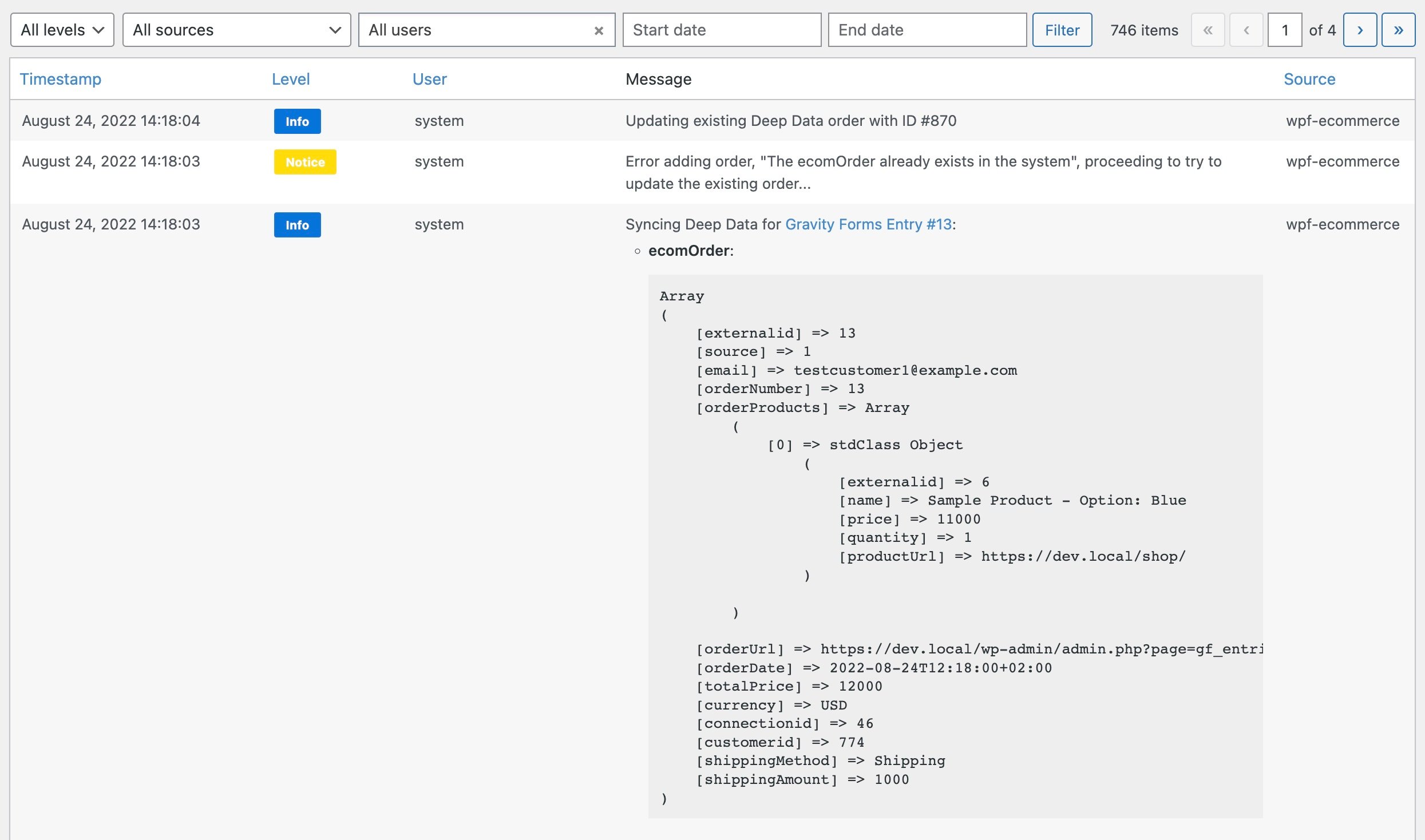
The activity logs will show the data being synced as well as any errors.
#MemberPress
The Ecommerce Addon will send enhanced ecommerce data for all purchases of memberships, including recurring subscription payments.
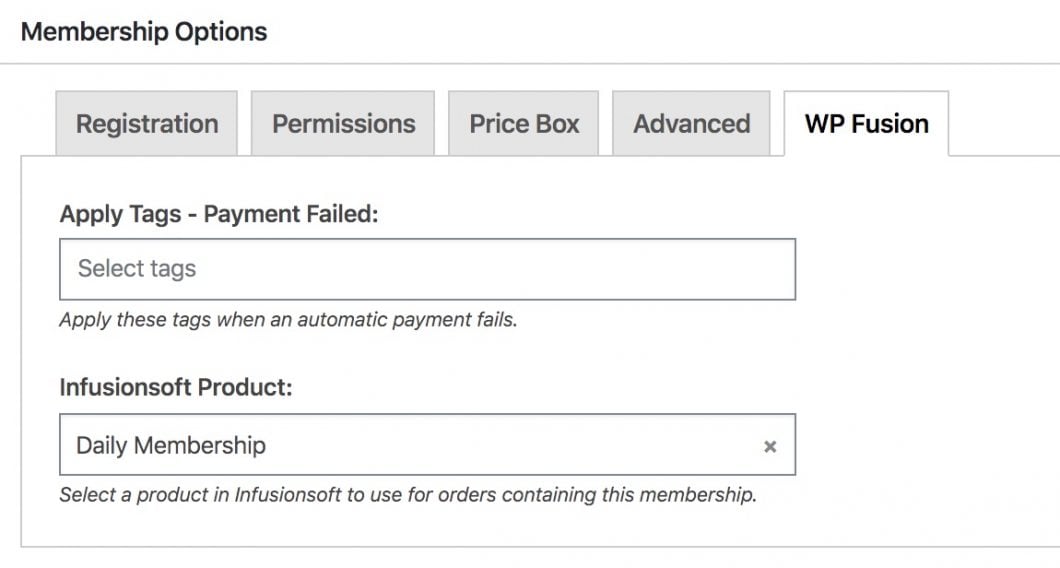
In CRMs that have Products as separate entities from Orders, you can associate your MemberPress membership products with CRM products by selecting them from the product dropdown while editing the membership level.
#Event Espresso
The Ecommerce Addon will send enhanced ecommerce data for all purchases of tickets in Event Espresso.
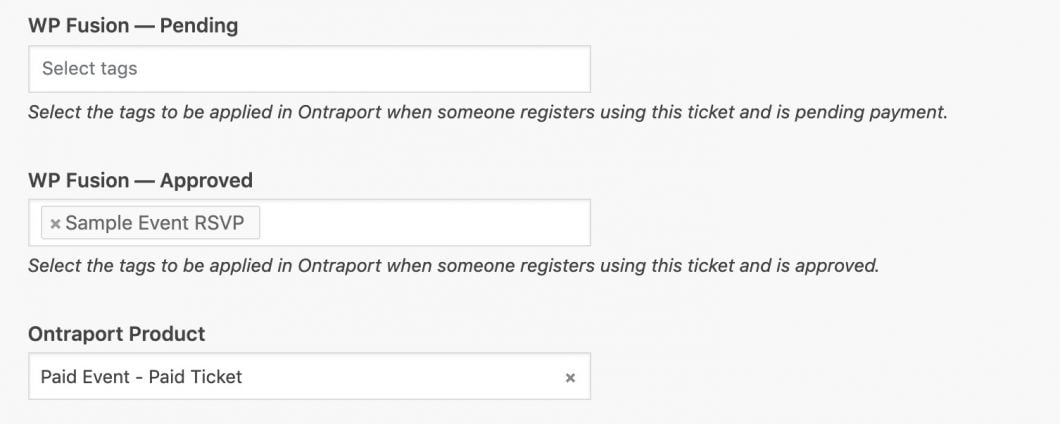
In CRMs that have Products as separate entities from Orders, you can associate your Event Espresso tickets with CRM products by selecting them from the product dropdown while editing the ticket.
#Give
The Ecommerce Addon will send enhanced ecommerce data for all donations made in Give.
In CRMs that have Products as separate entities from Orders, you can associate your Give donation levels with CRM products by selecting them from the product dropdown while editing the donation level.

#SureCart
With SureCart, the Ecommerce Addon will automatically send enhanced ecommerce data for all orders, including support for products, product variants, quantities, discounts, shipping, taxes, and recurring payments.
In CRMs that have Products as separate entities from Orders, you can associate your SureCart products with CRM products by selecting them in the Integrations settings of each SureCart product.

For more information, see the SureCart documentation.
#Paid Memberships Pro
The Ecommerce Addon will send enhanced ecommerce data for all purchases of memberships, including recurring subscription payments.
In CRMs that have Products as separate entities from Orders, you can associate your membership products with CRM products by selecting them from the product dropdown while editing the membership level.