
#Overview
WP Fusion includes an integration with the free Members plugin to allow you to apply tags in your connected CRM based on changes to user roles, as well as automatically assign user roles based on activity in your CRM.
#Role Settings
When editing any Members user role, a WP Fusion metabox will appear in the sidebar.
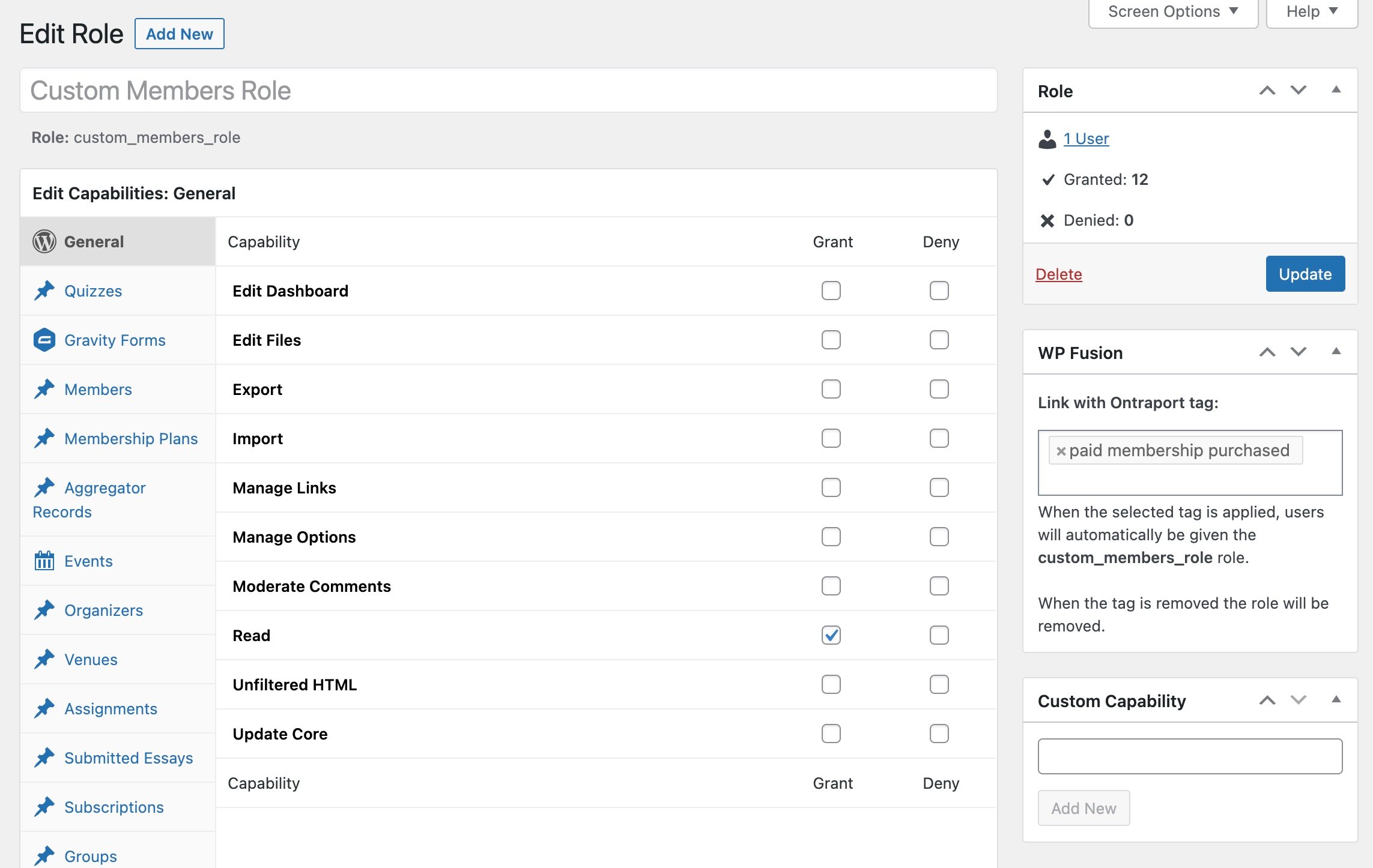
Here you can select a tag that becomes “linked” with the role:
- When a user is added to the role, the linked tag will be applied
- When a user is removed from the role, the linked tag will be removed
- When the tag is applied to a user, they will be granted the role
- When the tag is removed from the user (or if the user doesn’t have the tag), the role will be removed
#How it looks

Was this helpful?
Let us know if you liked the post. That’s the only way we can improve.