
WooCommerce Product Options

#Overview

WP Fusion includes an integration with the WooCommerce Product Options addon by Barn2 Plugins.

This extension allows you to collect additional product information from your customers, such as desired sizes, colors, engravings, etc.
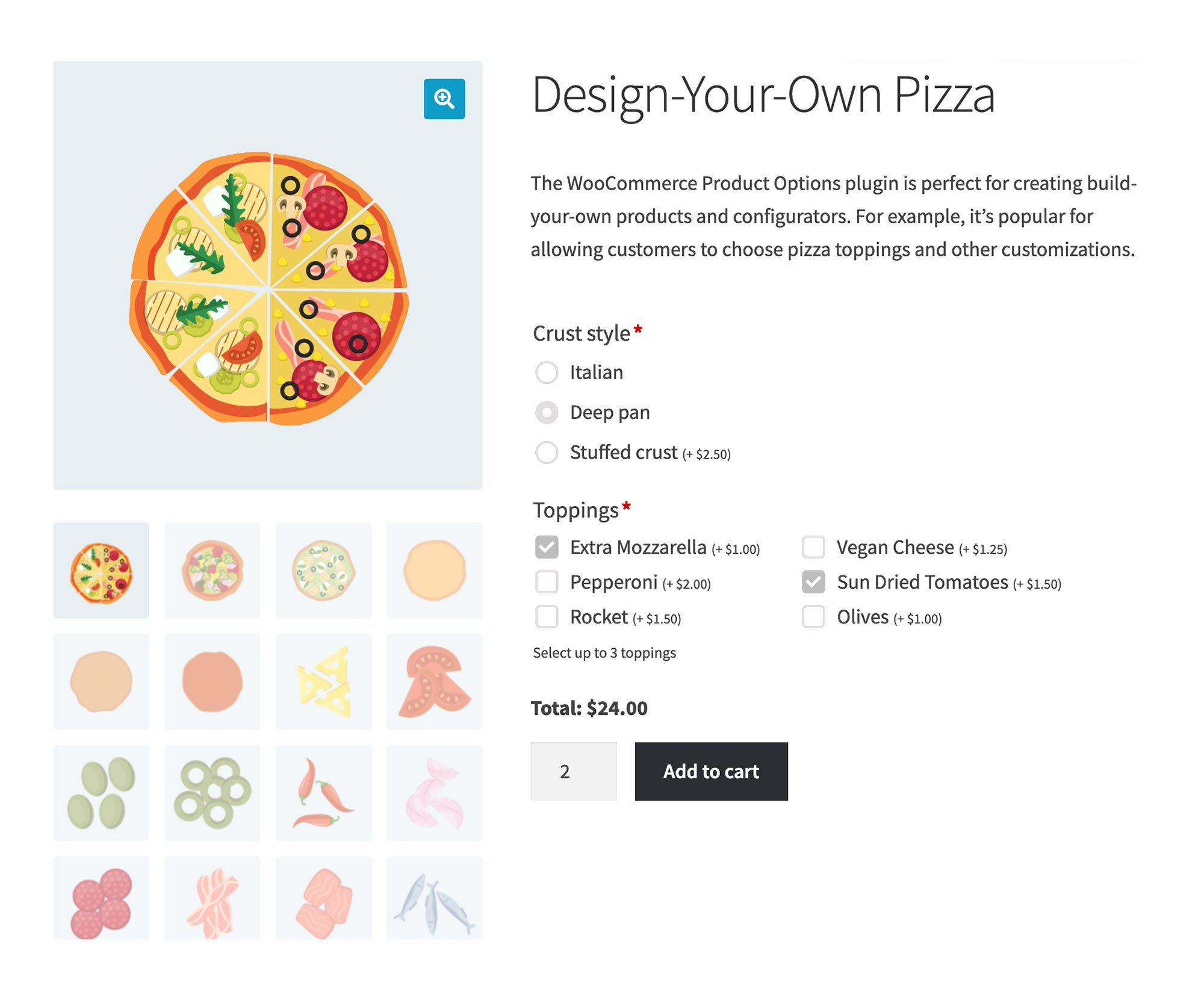
Explore our pizza customization page featuring WP Fusion CRM integration. Choose your crust: Italian, deep pan, or stuffed. Top with mozzarella, pepperoni, rocket, vegan cheese, sun-dried tomatoes, or olives. Image displays a mouthwatering pizza variety. Price: $24.00. Select quantity and Add to cart.
WooCommerce Product Options lets you collect additional options or preferences from your customers before they add a product to their cart.

WP Fusion’s integration can sync selected product options to custom fields in any one of 50+ CRMs and marketing automation systems.

You can then use these values in your emails, marketing, and as conditions in your automations.
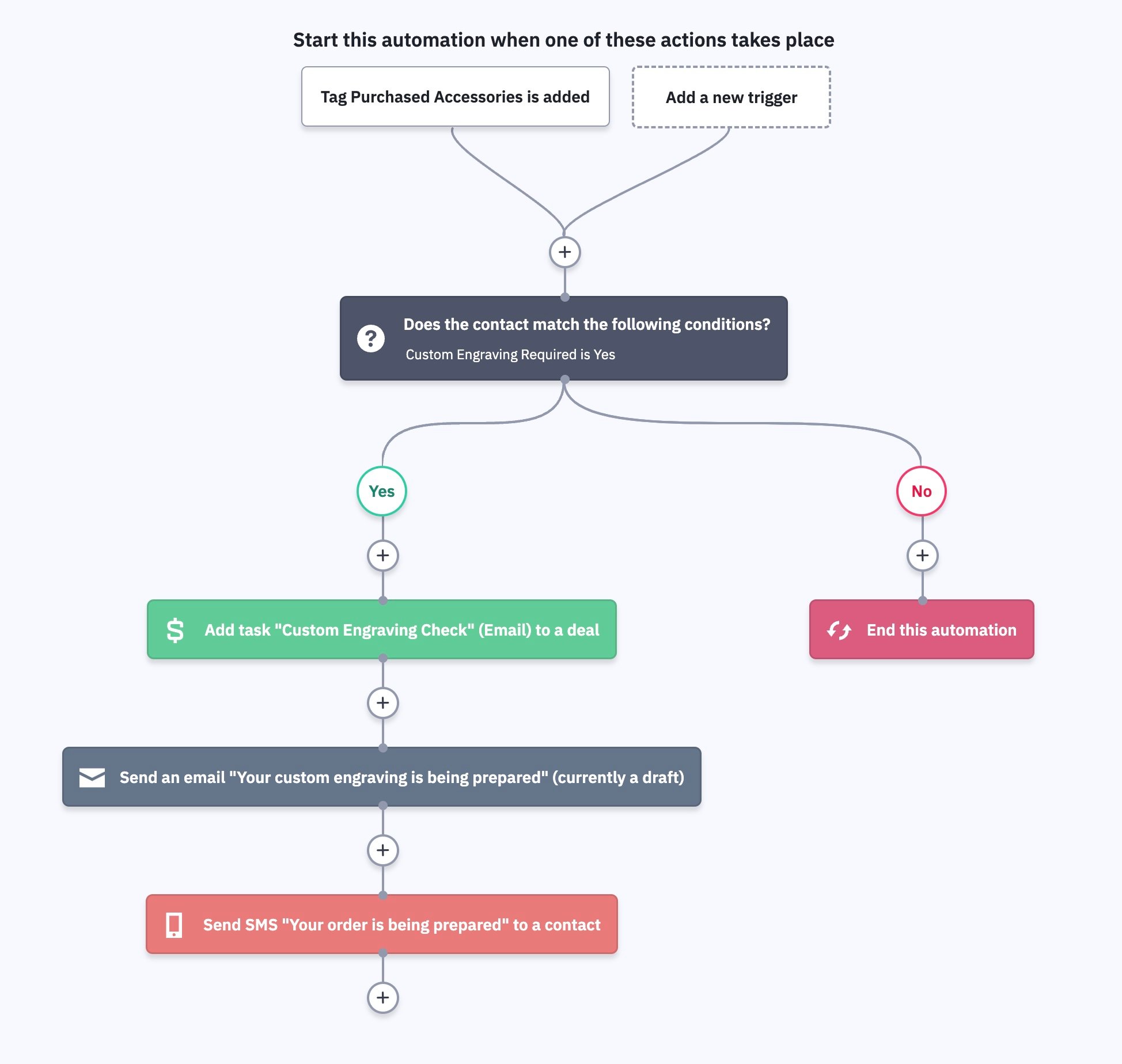
Flowchart of an automation process using WP Fusion CRM integration. It starts with triggers Tag Purchased Accessories is added or Add a new trigger. A condition checks for Custom Engraving Required. If yes, tasks and notifications are sent. If no, the automation ends.
In this example a customer’s request for a product customization creates a task, and sends a notification email + SMS (with ActiveCampaign).

For general information on syncing WooCommerce orders and customers with your CRM, see the WooCommerce documentation.

#Syncing addon values to your CRM

If you are collecting additional information from the customer in the form of text, date, checkbox, or dropdown addons, these fields will show up for sync under the WooCommerce Product Options header on the Contact Fields tab of the WP Fusion settings.

The WooCommerce product options interface displays three fields: a checkbox for Test List Box, a text box for Test Text Field, and a date picker for Birthday. Each option, seamlessly integrating with WP Fusion CRM, has a unique identifier.

You can enable each field for sync by selecting a custom field in your CRM to store the data.

When a customer checks out on your WooCommerce store, the selected options will be synced to the selected custom fields in your CRM or email marketing tool.

Was this helpful?