
#Overview
WP Fusion includes an integration with the YITH WooCommerce Multi Vendor plugin for syncing vendor information between your WordPress site and connected CRM or marketing automation tool.
#Syncing Vendor Information
When a vendor registers a new account on your site, WP Fusion will automatically create a contact record in your CRM.
You can sync additional vendor information with custom fields in your CRM by enabling the fields for sync at Settings » WP Fusion » Contact Fields » YITH Vendors.
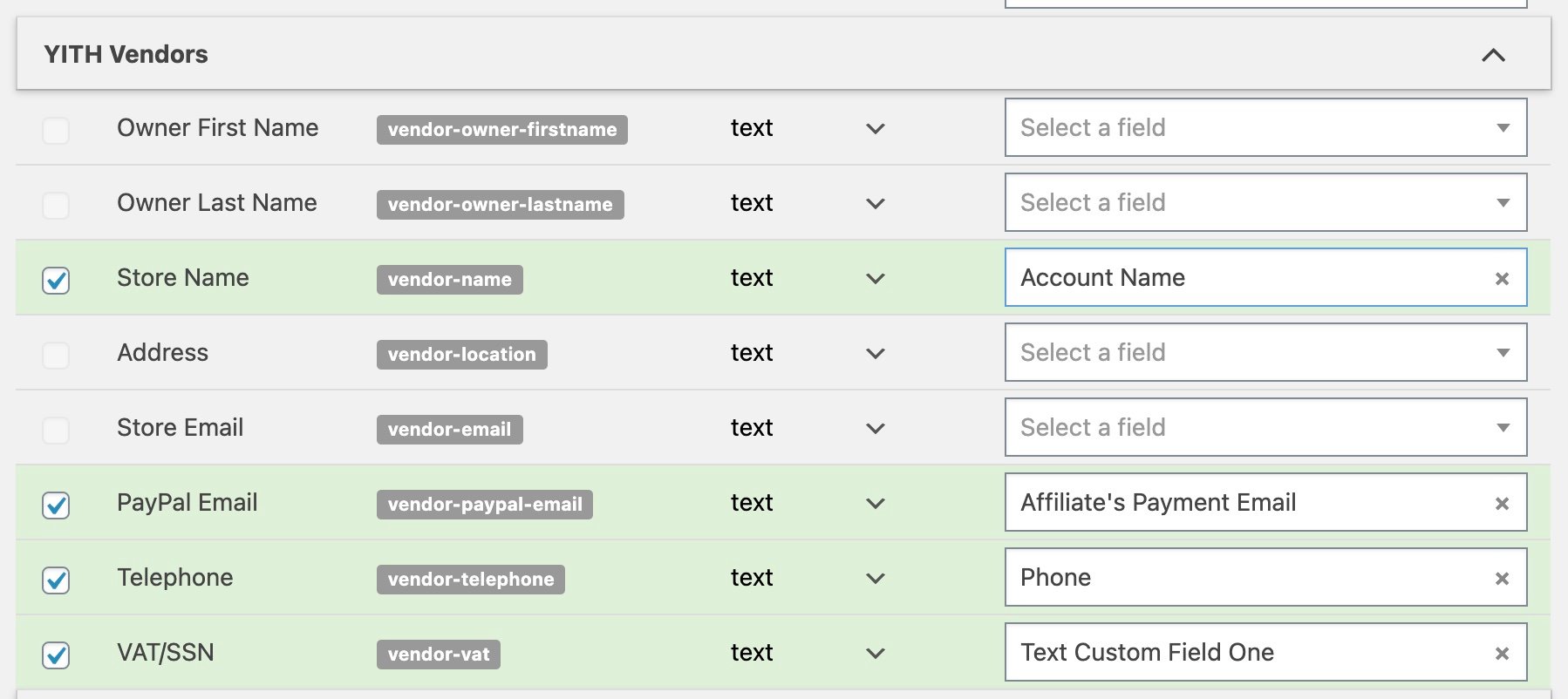
Any enabled fields will be synced when a vendor registers, or is approved. For more information, see the documentation on Syncing Contact Fields.
#Global Settings
At Settings » WP Fusion » Integrations » YITH Vendors Integration, there are two global options for YITH Vendors.
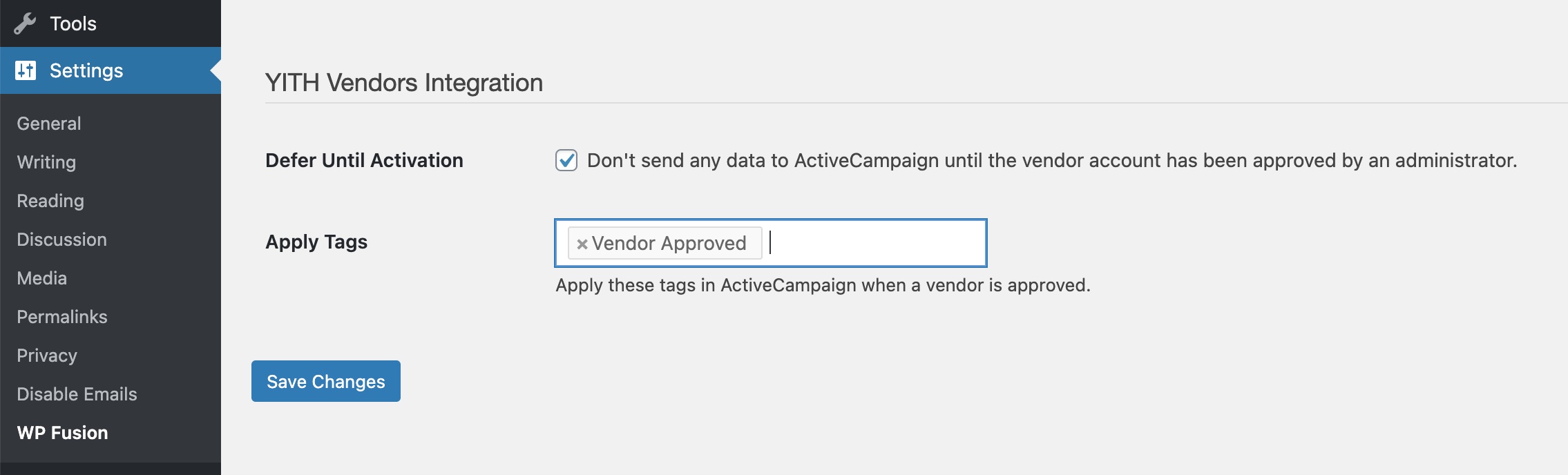
The two options are:
- Defer Until Activation: With this option checked, no data will be sent to your CRM until a vendor’s application has been approved by an admin.
- Apply Tags: The tags specified here will be applied in your CRM when a vendor’s application is approved.
Was this helpful?
Let us know if you liked the post. That’s the only way we can improve.