
#Overview
WP Fusion integrates with WPPizza for adding new customers to your CRM and tagging them based on products purchased.
When a customer places an order via WPPizza they will be added to your selected CRM as a contact.
#Syncing customer fields
WP Fusion will automatically detect your WPPizza order form fields, and they will be listed under Settings » WP Fusion » Contact Fields.
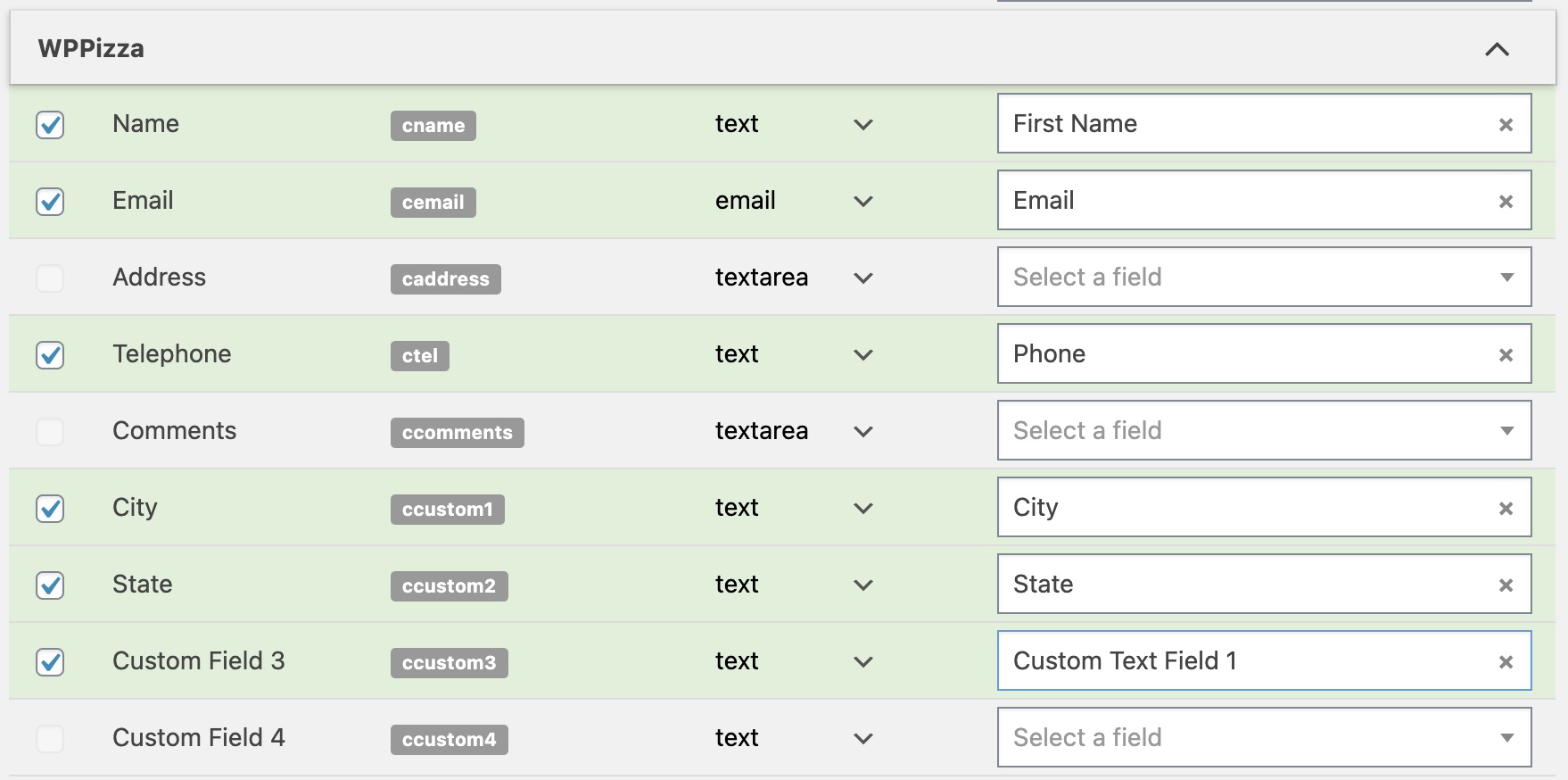
For each order form field you can select a corresponding field in your CRM. When a customer places an order the enabled fields will be synced.
#Tagging
You can optionally tag your customers based on items they order.
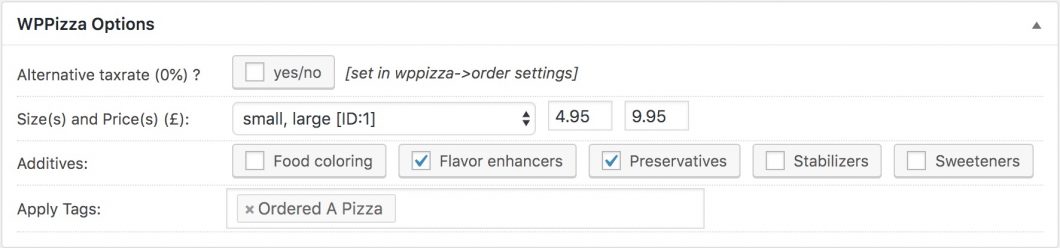
The Apply Tags setting can be found in the WPPizza meta box while editing any menu item.
Was this helpful?
Let us know if you liked the post. That’s the only way we can improve.