
#Overview
Using WP Fusion you can track events from supported plugins in Drip.
For an overview of event tracking in Drip in general, see this link.
#How it works
When an event is tracked in a supported plugin, it will be recorded to the WP Fusion activity logs, and sent to the corresponding person’s contact record in Drip.
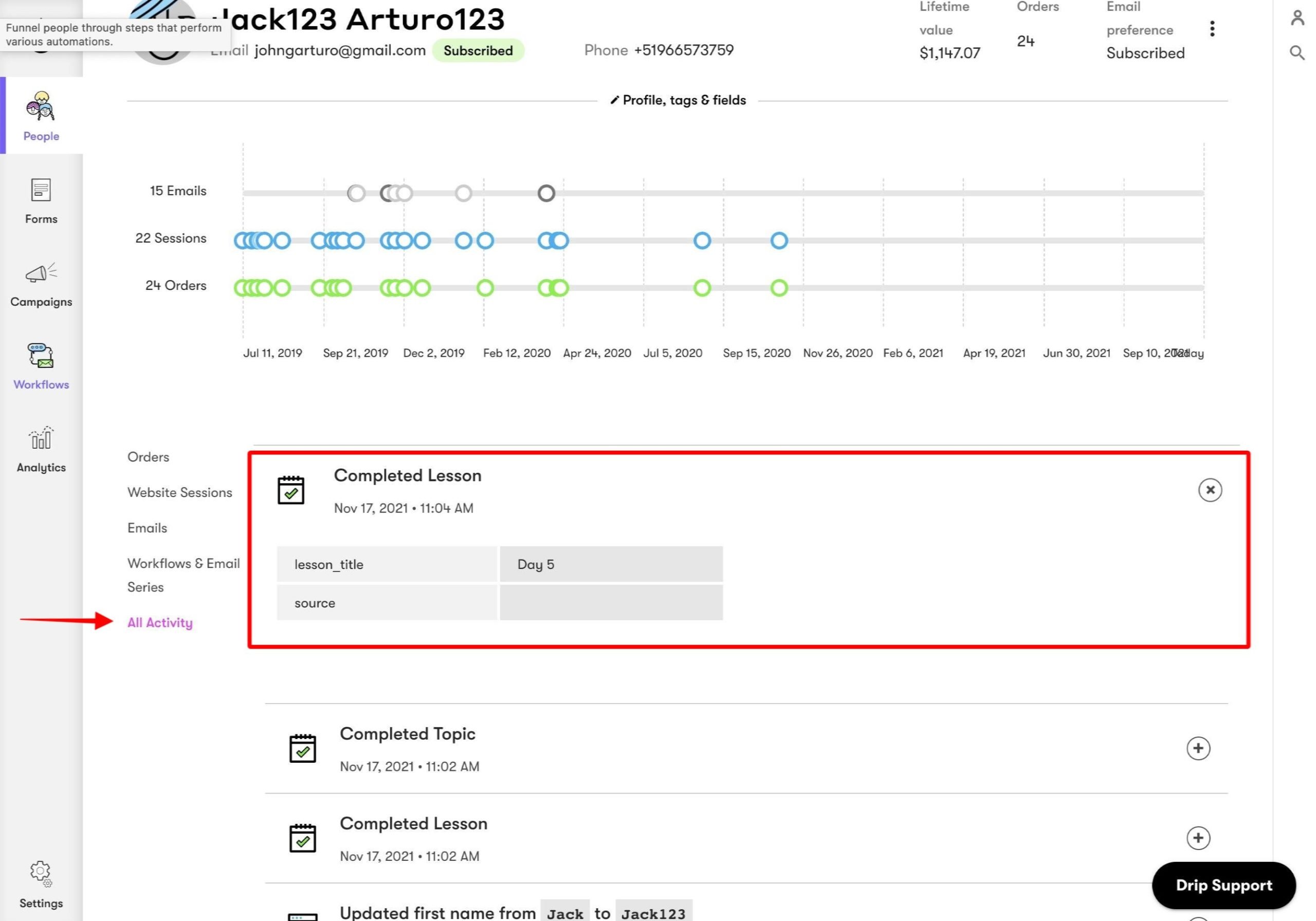
Tracked events will then show up in that contact’s All Activity timeline.
#How it looks
Events are displayed on the Recent Activities timeline on Drip contact records.
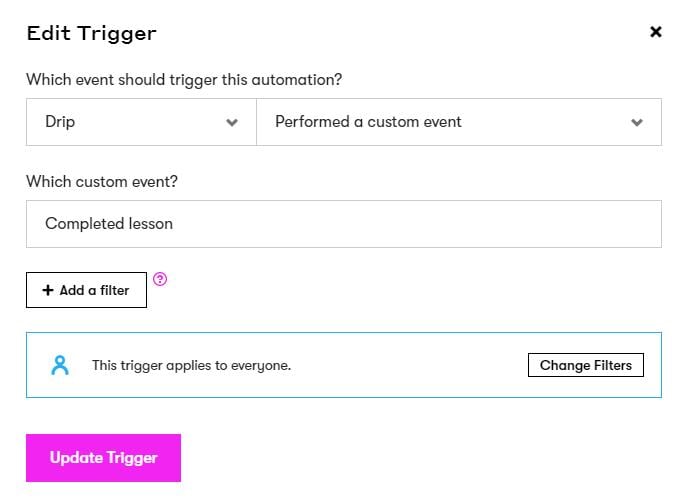
Events can also be used as a workflow trigger.
To filter the trigger by the event “value”, you can use the “data” parameter in the filter, like so:
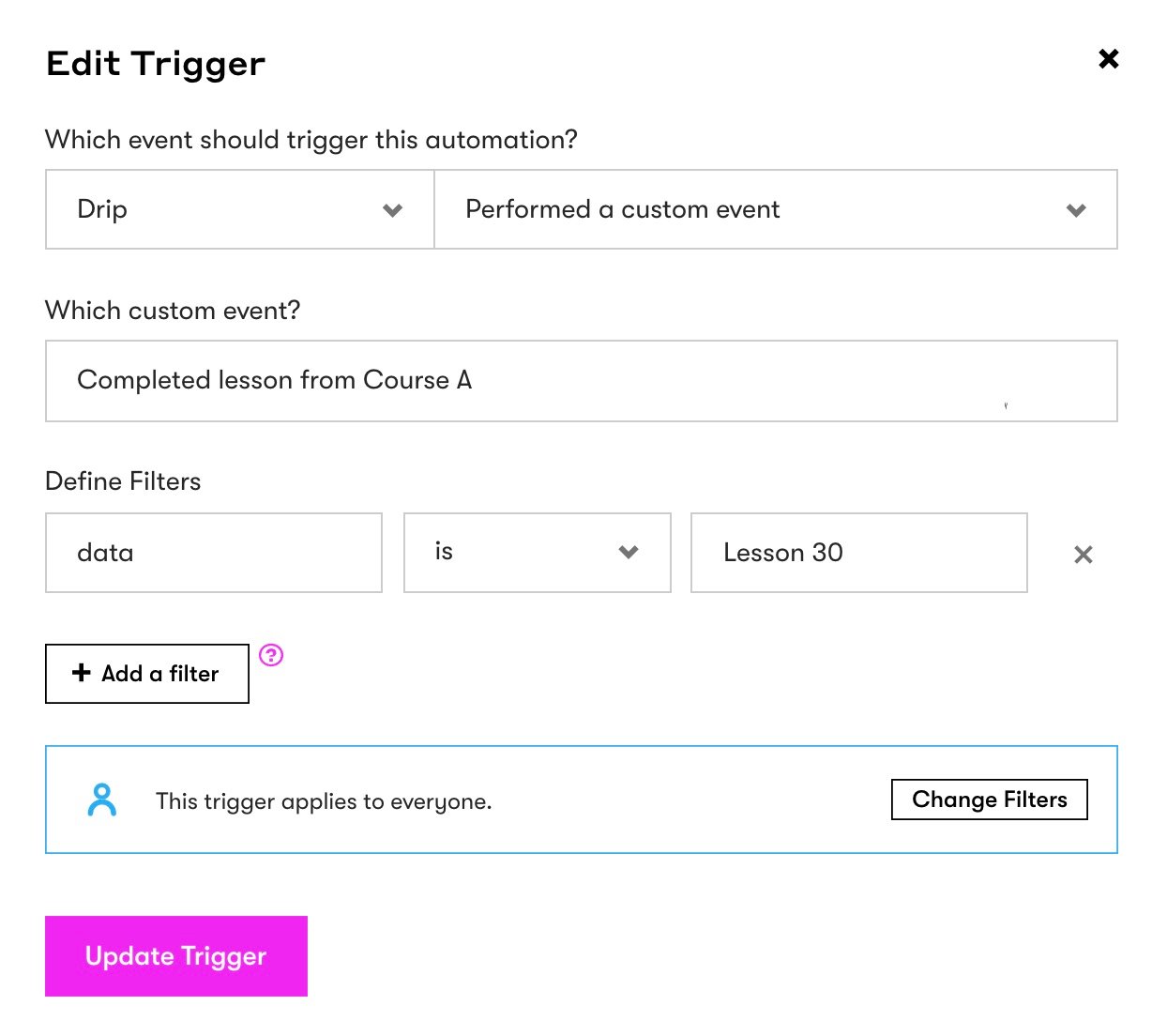
In this case the workflow will only run if Lesson 30 in Course A was completed.
Was this helpful?
Let us know if you liked the post. That’s the only way we can improve.