
Bento Event Tracking

#Overview

Using WP Fusion you can track events from supported plugins in Bento.

#How it works

You can configure events globally, or on individual courses, forms, and products.
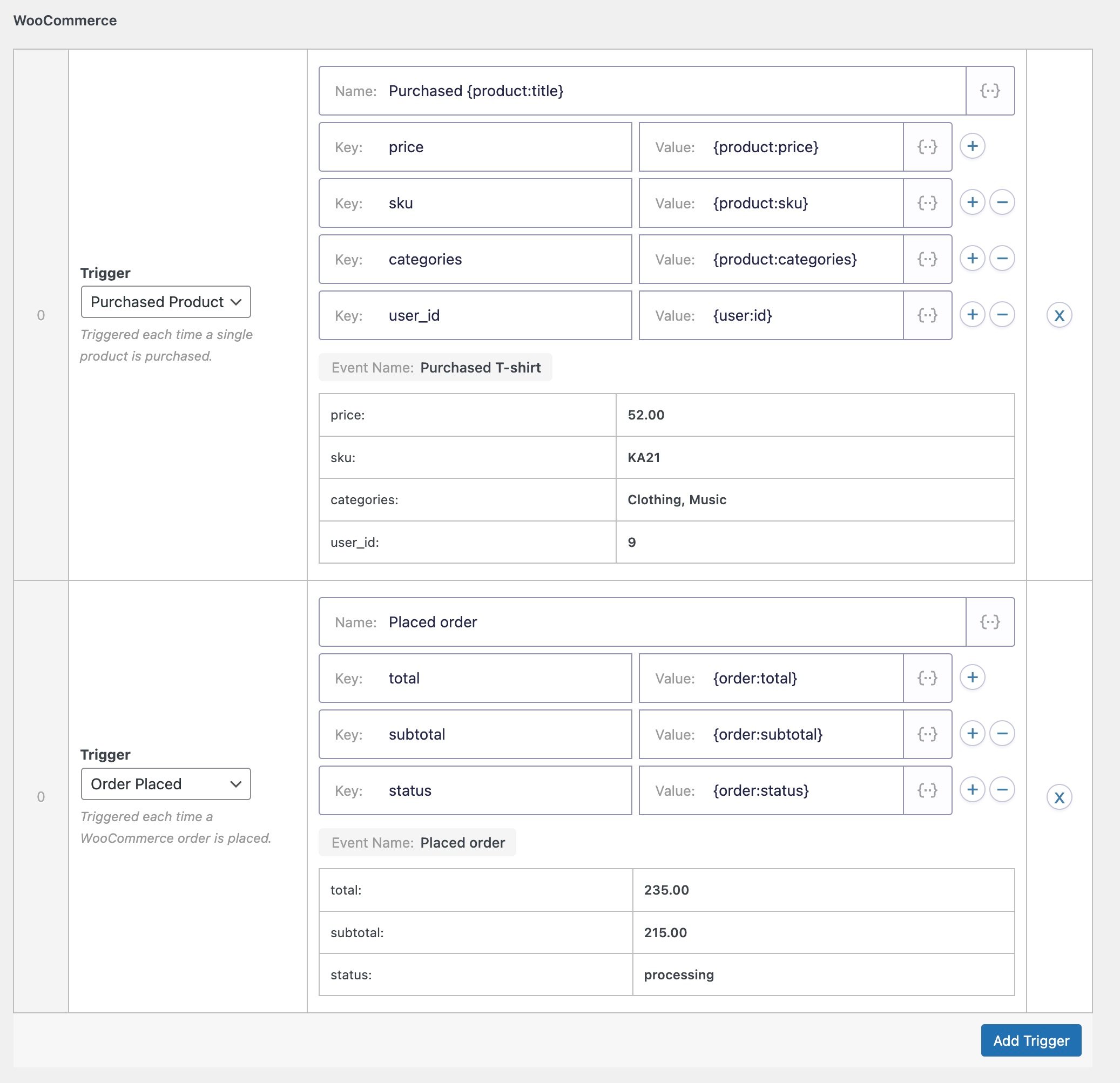
Screenshot of a WooCommerce automation setup showcasing WP Fusion CRM integration with triggers for actions: Purchased Product and Order Placed. Product details like price, SKU, and categories are shown, along with order details like total and status.
In this example WooCommerce product purchases and new orders are configured to send events to Bento.

Each event can contain a title, and any number of key/value pairs containing the event data.

When an event is tracked in a supported plugin, it will be recorded to the WP Fusion activity logs, and sent to the corresponding person’s contact record in Bento.

Tracked events will then show up in that contact’s Events timeline.

#How it looks

Events are displayed on the Events timeline on Bento contact records.
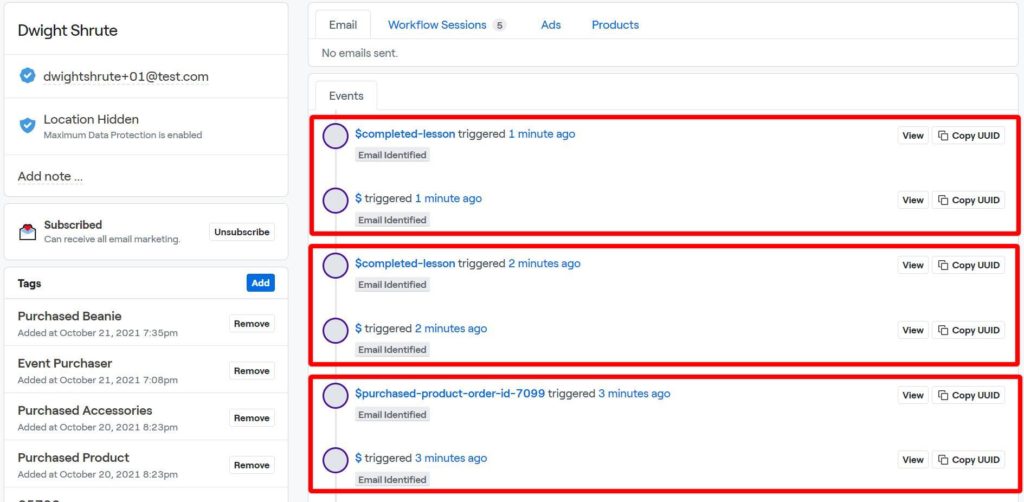
A screenshot of an email workflow session for Dwight Shrute seamlessly integrates with WP Fusion CRM. It displays three events, including a lesson and product order, all triggered 1 to 3 minutes ago. Options to view or copy the UUID are available alongside each event.

You can click on any event to expand it and see its properties.
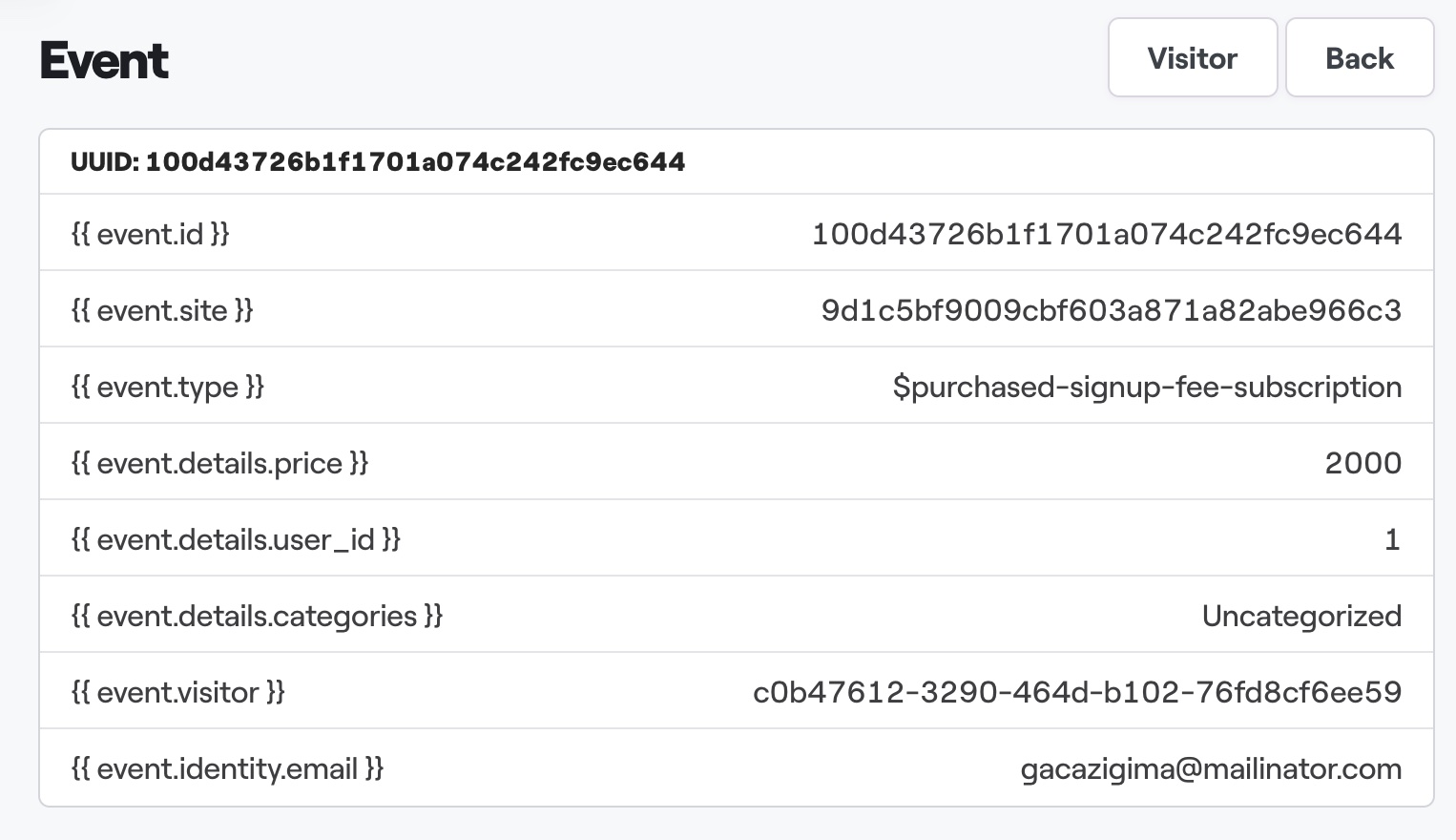
Screenshot of a database event log showcasing details like unique ID, site, type, price, user ID, categories, visitor ID, and email. The event type highlights a WP Fusion CRM integration with a paid subscription signup of 2000.

Events can also be used as workflow triggers.
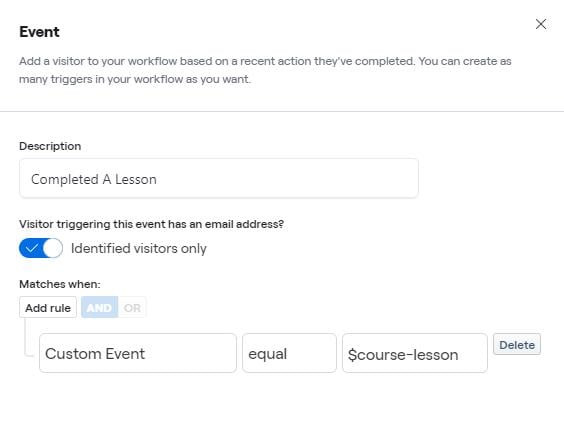
Screenshot of an event setup interface for a workflow automation tool with WP Fusion CRM integration. The event, titled Completed A Lesson, applies to identified visitors and includes rules where a custom event must equal $course-lesson. Options to add rules or delete are available.

Was this helpful?