
In this video, you will learn how to install WP Fusion and set up a direct connection to your Kit account.
To get started install and activate the plugin, then navigate to settings -> WP Fusion.
From the ‘Select Your CRM’ dropdown choose ‘ConvertKit’.
We will need to locate your API secret.
This can be found in your ConvertKit account by clicking on the menu icon in the top right and choosing ‘Account Settings’.
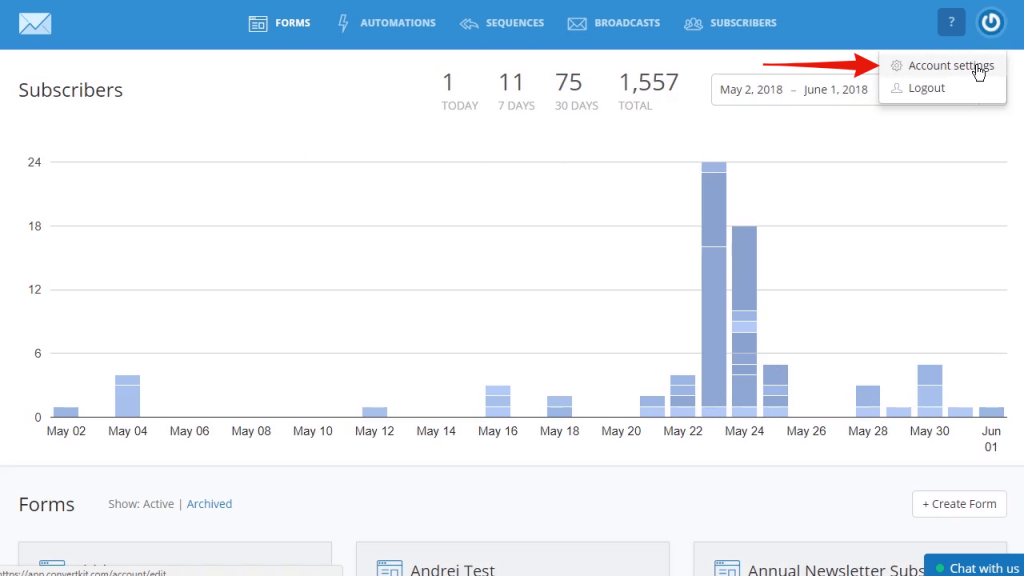
Click on the ‘Show’ link below ‘API Secret’.
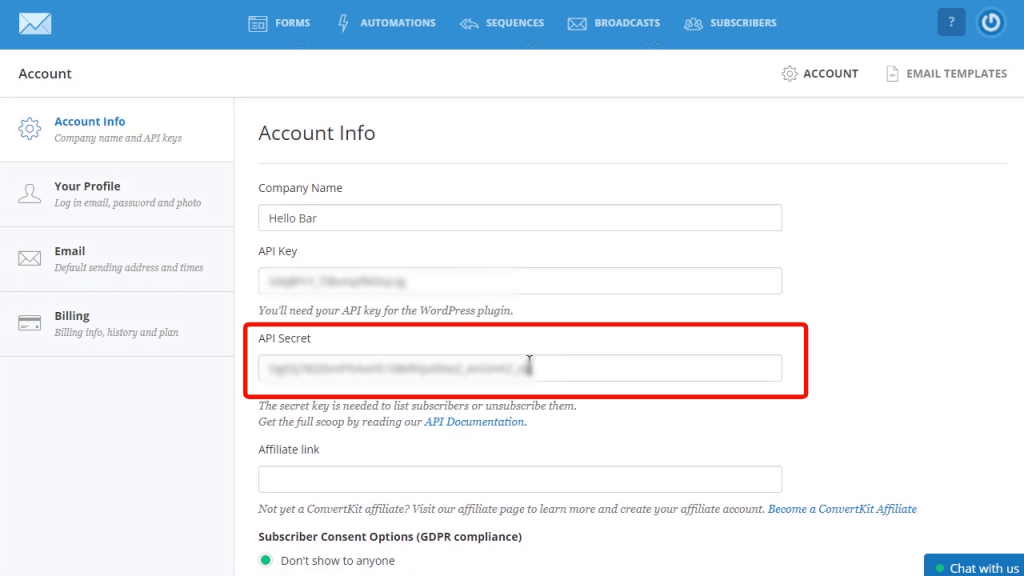
then copy and paste into the appropriate field in WP Fusion
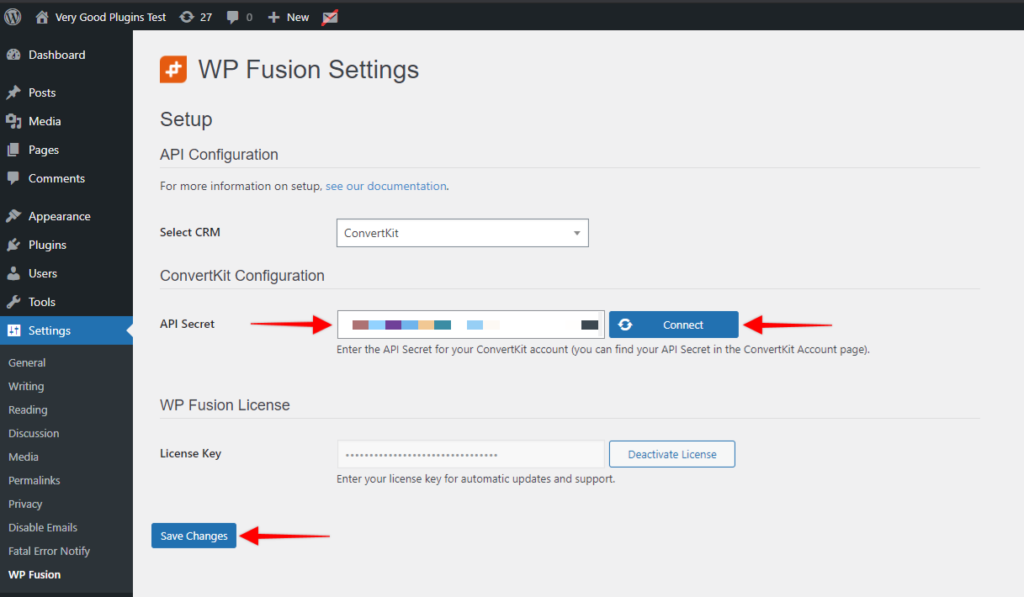
Finally, click on ‘Connect’.
WP Fusion will now establish a connection to ConvertKit and import your tags and custom fields.
To finalize the process click on ‘Save Changes’
Was this helpful?
Let us know if you liked the post. That’s the only way we can improve.